✅ What’s in the Box:
-
TP-Link UB400 Nano USB Adapter
-
Quick Installation Guide
🛠️ How to Use and Set Up:
🟦 Step 1: Check System Compatibility
-
Supports Windows 11/10/8.1/8/7 (Driver-free on Windows 11/10).
-
Not compatible with macOS or Linux.
🟦 Step 2: Plug In the Adapter
-
Insert the UB400 into a USB 2.0 or 3.0 port on your computer.
-
On Windows 10/11, the system will automatically detect and install the necessary drivers.
🟦 Step 3: Install Drivers (if needed)
-
For Windows 7/8/8.1, download drivers from the TP-Link official site.
-
Follow on-screen instructions to complete installation.
-
Restart your computer after installation.
🟦 Step 4: Pair Bluetooth Devices
-
Enable Bluetooth on your PC (via Settings > Devices > Bluetooth).
-
Turn on Bluetooth on your device (e.g., headphones, keyboard).
-
Your PC will discover nearby devices—select your device and pair it.
🔄 How to Remove or Uninstall:
-
Safely Remove:
-
Click “Safely Remove Hardware” in the taskbar before unplugging.
-
-
Uninstall Driver (if needed):
-
Go to Device Manager > Bluetooth > TP-Link UB400.
-
Right-click and select “Uninstall device.”
-
🔋 Tips for Best Performance:
-
Maintain a clear line of sight between the adapter and your Bluetooth device.
-
Keep devices within the standard Bluetooth range (up to ~10 meters).
-
Use the latest drivers for stability and performance.
قارئ بطاقات أومنيكي 3121
YH 31 PS4 2 in 1 Charging Heat Sink
MERCEDES BENZ PRIVATE MEN'S EDP 100 ML
MIU MIU EDP 100 ml
MONT BLANC EMBLEM WOMEN EDP 75 ML
MERCEDES BENZ MAN GREY MEN'S EDT 100 ml
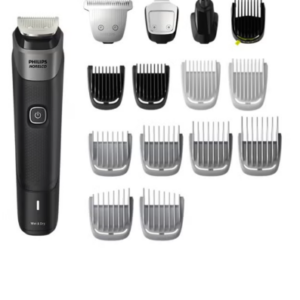
Philips 5000 Series Norelco All In One Trimmer MG5910/49
ميلوديكا ميلوديكا النحلة Bm 13k
MISSONI WOMEN EDT 100 ml
شاحن سريع مزدوج الجانب ROCK W24 مزدوج الجانب
YH 25 PS4 Multifunctional Heat Dissipation Charging Bracket
MERCEDES BENZ LE PARFUM MEN'S EDP 120 ml
BOYA WIRELESS MICROPHONE BY WM4 PRO
3713 ج موسيقى جيتار 3713 ج
ميكروفون كاندك DC C9 كارديويد ميكروفون
أقل سعر
الخدمة والإصلاح
أحدث


لا توجد مراجعات حتى الآن.