
-
×
 شاحن سريع مزدوج الجانب ROCK W24 مزدوج الجانب
1 × 5.200 OMR
-
×
 AHUJA WSX 551T SPEAKER
1 × 15.000 OMR
-
×
 ميلوديكا ميلوديكا النحلة Bm 13k
3 × 5.900 OMR
-
×
 3713 ج موسيقى جيتار 3713 ج
1 × 3.800 OMR
-
×
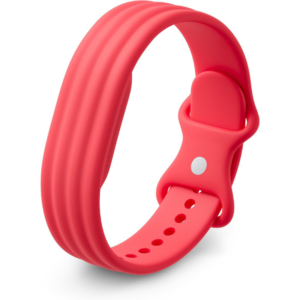 سوار جوجل فيتبيت إير أكتيف باند بيري المصنوع من السيليكون
1 × 20.900 OMR
-
×
 BBurago Metal Car Ferrari 499P Size 1.18
2 × 42.900 OMR
-
×
 APPLE IPAD Pro 12.9 Inch 4TH GEN SMART KEYBOARD FOLIO
1 × 94.900 OMR
-
×
 CPT 73331 1-24 Chrysles Metal Car
1 × 7.800 OMR
-
×
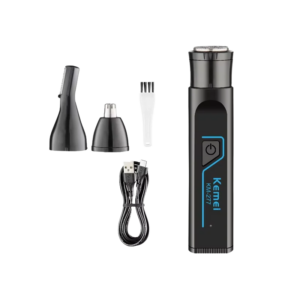 طقم حلاقة متعدد الوظائف من Kemei، طراز KM-277
1 × 2.900 OMR
-
×
 Sanford AM/FM Radio With Usb And Sd Card SF3305PR Radio
1 × 6.450 OMR
-
×
 BOYA WIRELESS MICROPHONE BY WM4 PRO
1 × 47.900 OMR
-
×
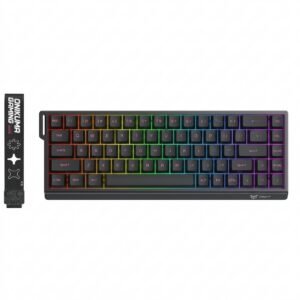 Onikuma Gaming Keyboard MT603
1 × 12.900 OMR
-
×
 Sony PS 5 Asterix Obelix XXL 2 Game
1 × 10.900 OMR
-
×
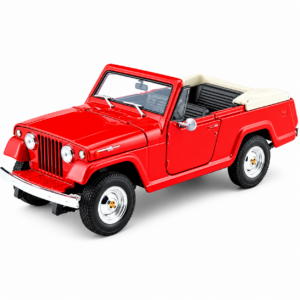 Welly Metal Car Jeep Jeepster Commando Roadster Size 1.24 WL-24117C-W
1 × 12.900 OMR
-
×
 BOYA BY WM8 PRO K2 UHF DUAL CHANNEL WIRELESS MICROPHONE
1 × 76.800 OMR
-
×
 KALIMBA 17 KEYS FINGER PIANO
1 × 13.800 OMR
-
×
 BOYA LARGER DIAPHRAGM CONDENSER MICROPHONE BY M1000
1 × 38.800 OMR
المجموع: 474.450 OMR
 أقل سعر
 الخدمة والإصلاح


 أحدث


لا توجد مراجعات حتى الآن.