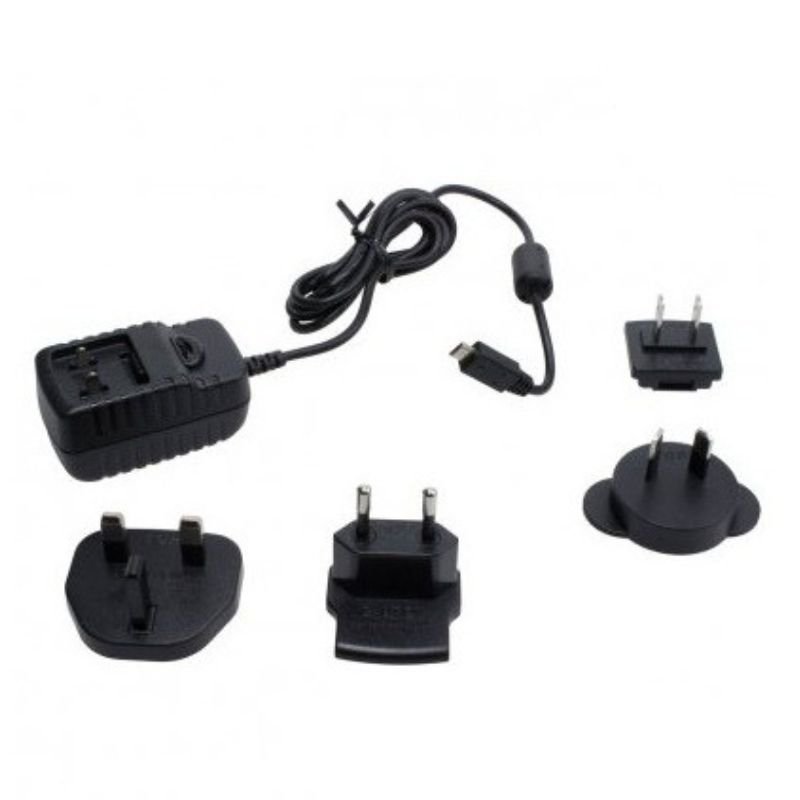
1. Plug in: Begin by locating a suitable power outlet in your home or office. The THURAYA XT-PRO Home Charger comes with a standard plug that fits most outlets.
2. Connect: Take the charging cable provided with the THURAYA XT-PRO Home Charger and connect one end to the charger itself.
3. Insert: With the other end of the charging cable, carefully insert the connector into the charging port located on the bottom or side of your THURAYA XT-PRO satellite phone.
4. Power on: Once the charger is securely connected to both the power outlet and your satellite phone, switch on the power outlet to begin charging.
5. Monitor: Keep an eye on the indicator lights on both the charger and your THURAYA XT-PRO satellite phone. The charging indicator on the phone will typically illuminate or change color to indicate that charging is in progress. Once fully charged, disconnect the charger from both the power outlet and your device for safe and efficient charging.
سيارة Cleo-TY للتحكم عن بُعد مخصصة للطرق الوعرة (طراز C-74)
ميلوديكا ميلوديكا النحلة Bm 13k
كبل بيانات OTVO P4 USB (لمضيف ومقبض P4)
حامل الشحن DOBE PS4 TP4 TP4 023B
MAX BMS 135 BOOM MIC STAND
ثلاجة كلي أوسب
Belkin F2CU012bt Mixit Cable Usb A to Micro 3mtr
APPLE IPAD Pro 12.9 Inch 4TH GEN SMART KEYBOARD FOLIO
PROFESSIONAL STREAMING PLAYER STAND L1
أقل سعر
الخدمة والإصلاح
أحدث
لا توجد مراجعات حتى الآن.