
-
×
 قرص مدمج للعبة سوني PS4 mdievil
1 × 11.000 OMR
قرص مدمج للعبة سوني PS4 mdievil
1 × 11.000 OMR
المجموع: 11.000 OMR
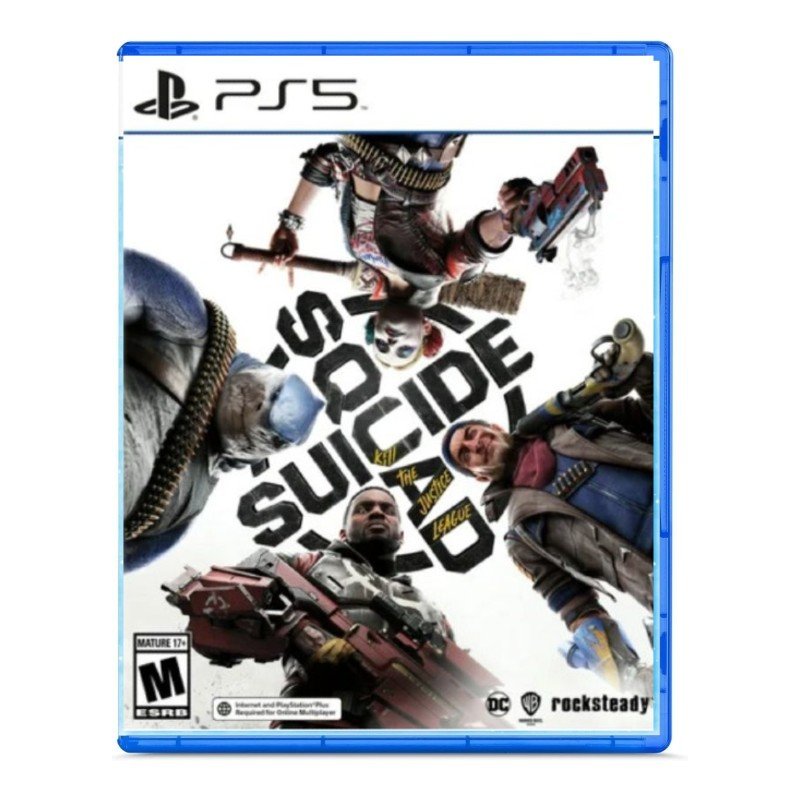
SKU: Sony PS5 Suicide Squad Game CD
متوفر في المخزون
The Sony PS5 Suicide Squad Game CD immerses players in the action-packed world of the Suicide Squad as they take on the Justice League. With stunning graphics, engaging gameplay, and an epic storyline, players will experience thrilling battles and intense missions in this highly anticipated game. Compatible with the PlayStation 5 console, this CD delivers an unparalleled gaming experience, combining cutting-edge technology with the iconic characters of the DC universe. Join the Suicide Squad and unleash chaos in Gotham City with this thrilling game CD for the PS5.
20.800 OMR
متوفر في المخزون
1. **Prepare Your PlayStation 5 Console:** Ensure that your PlayStation 5 console is powered on and ready to use. If the console is off, turn it on by pressing the power button on the front of the console or using the DualSense controller.
2. **Locate the Disc Slot:** Insert the Suicide Squad: Kill the Justice League game CD into the disc slot of your PlayStation 5 console. The disc slot is located on the front of the console, beneath the power button.
3. **Wait for Recognition:** After inserting the game CD, wait a moment for the PlayStation 5 console to recognize the disc. You may hear the disc spinning as the console reads the data.
4. **Install the Game:** Once the disc is recognized, the game installation process will begin automatically. Follow the on-screen prompts to install the game onto your PlayStation 5 console’s internal storage. Depending on the size of the game and the speed of your console, this process may take some time.
5. **Start Playing:** After the installation is complete, the game will be available in your PlayStation 5 library. Navigate to the game icon using the console’s dashboard or the game library menu. Select the game icon and press the “X” button on your DualSense controller to start playing Suicide Squad: Kill the Justice League.
مرحبًا بكم في عالم تكتب فيه القواعد في وقود الصواريخ! تتحكم الصواريخ في كل شيء في روكيت ارينا، وهي لعبة إطلاق نار 3 ضد 3 متفجرة حيث لن تكون خارج اللعبة مطلقًا. أتقن صواريخ بطلك الفريدة وقدراته للسيطرة على الساحة وتصبح بطلاً! جرب قائمة متنامية باستمرار من الأبطال المتنوعين بقوى مميزة. اكتشف استراتيجيات وتكتيكات جديدة بناءً على فريقك، واستكشف مجموعة متنوعة من الخرائط الديناميكية ، واكتشف العمق الحقيقي للعب الصاروخ. جاهز للانفجار؟
لاعب واحد ، 8 جم كحد أدنى ، وظيفة اهتزاز دوال شوك@ 4 ، بلاستيشن 4 برو محسّن ، دعم اللعب عن بعد.
 أقل سعر
 الخدمة والإصلاح

 أحدث
أحدث


لا توجد مراجعات حتى الآن.