1. **Prepare Your PlayStation 5 Console:** Ensure that your PlayStation 5 console is powered on and ready to use. If the console is off, turn it on by pressing the power button on the front of the console or using the DualSense controller.
2. **Locate the Disc Slot:** Insert the Suicide Squad: Kill the Justice League game CD into the disc slot of your PlayStation 5 console. The disc slot is located on the front of the console, beneath the power button.
3. **Wait for Recognition:** After inserting the game CD, wait a moment for the PlayStation 5 console to recognize the disc. You may hear the disc spinning as the console reads the data.
4. **Install the Game:** Once the disc is recognized, the game installation process will begin automatically. Follow the on-screen prompts to install the game onto your PlayStation 5 console’s internal storage. Depending on the size of the game and the speed of your console, this process may take some time.
5. **Start Playing:** After the installation is complete, the game will be available in your PlayStation 5 library. Navigate to the game icon using the console’s dashboard or the game library menu. Select the game icon and press the “X” button on your DualSense controller to start playing Suicide Squad: Kill the Justice League.
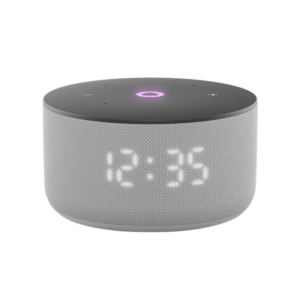
مكبر صوت ياسمين الصغير الذكي المحمول بتقنية بلوتوث، رمادي اللون
WHARFEDALE DELTA X 18B PASSIVE 1X8 800W RMS SUBWOOFER
Sony PS4 Village Resident Evil Game CD
حامل الشحن DOBE PS4 TP4 TP4 023B
YH 25 PS4 Multifunctional Heat Dissipation Charging Bracket
WAHL 3615 Cordless Mobile shaver
3713 ج موسيقى جيتار 3713 ج
KALIMBA 17 KEYS FINGER PIANO
BOYA LAVALIER MICROPHONE BY M40D
سي دي لعبة ام اكس في اس ايه تي في اول اوت لبلاستيشن 4
BOYA LARGER DIAPHRAGM CONDENSER MICROPHONE BY M1000
سي دي لعبة توم كلانسي راينبو 6 سيج لبلاستيشن 4
أقل سعر
الخدمة والإصلاح
أحدث


لا توجد مراجعات حتى الآن.