1. **Insert the Game CD**:
– Locate the disc drive on your PS5 console.
– Gently insert the Tchia Oleti game CD into the disc drive with the label side facing up.
2. **Wait for Recognition**:
– Allow the PS5 console a few moments to recognize the game disc.
– The console will typically display an icon or notification indicating that the game has been detected.
3. **Access the Game Menu**:
– Navigate to the PS5 console’s main menu using the controller.
– Look for the game’s icon or title in the menu. It may be located under the “Games” section.
4. **Launch the Game**:
– Select the Tchia Oleti game icon from the menu using the controller.
– Press the “X” button on the controller to launch the game.
5. **Enjoy Playing**:
– Follow any on-screen prompts or instructions to start playing Tchia Oleti.
– Use the controller to navigate through menus, control the character, and interact with the game world.

 SONY PS5 Spider Man Marvel Miles Morales Eng. Game CD
1 × 9.900 OMR
SONY PS5 Spider Man Marvel Miles Morales Eng. Game CD
1 × 9.900 OMR  XBOX ONE TOM CLANCY'S THE DIVISON 2 GAME CD
1 × 12.800 OMR
XBOX ONE TOM CLANCY'S THE DIVISON 2 GAME CD
1 × 12.800 OMR  SONY PS4 Final Fantasy XII GAME CD
1 × 8.800 OMR
SONY PS4 Final Fantasy XII GAME CD
1 × 8.800 OMR  أقل سعر
 الخدمة والإصلاح

 أحدث
أحدث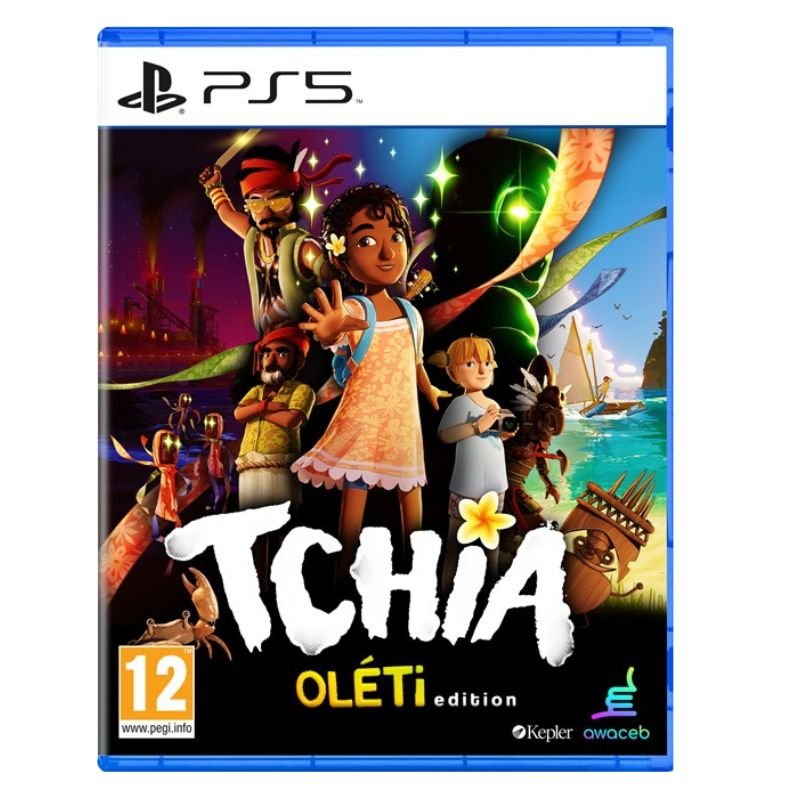


لا توجد مراجعات حتى الآن.