1. **Locate the Voucher Code**: Start by locating the voucher code provided with your Sony PS5 Fortnite Transformers Pack. This code is typically found on a card or inside the packaging of the game.
2. **Access the PlayStation Store**: Turn on your PlayStation 5 console and sign in to your PlayStation Network (PSN) account. From the main menu, navigate to the PlayStation Store using the controller.
3. **Redeem the Voucher Code**: In the PlayStation Store, select the “Redeem Codes” option from the menu. Enter the voucher code exactly as it appears on the card or packaging, using the on-screen keyboard. Once entered, confirm the code to redeem your Fortnite Transformers Pack.
4. **Download the Content**: After successfully redeeming the voucher code, navigate to the “Library” section of the PlayStation Store. Locate Fortnite in your library and select it to access the game’s page. From there, you should see the Transformers Pack content available for download. Select the content and initiate the download to add it to your Fortnite game.
5. **Access the Content in Fortnite**: Once the download is complete, launch Fortnite on your PlayStation 5 console. Navigate to the in-game item shop or customization menu to access the newly redeemed Transformers Pack content. You should now be able to equip and use the Transformers-themed skins, back blings, pickaxes, and other items in the game.
موصل كابل DUDAO AUX مقاس 3.5 مم
CPT 79342 1-24 Volks Metal Van Bla/Red
YH 25 PS4 Multifunctional Heat Dissipation Charging Bracket
APPLE IPAD Pro 12.9 Inch 4TH GEN SMART KEYBOARD FOLIO
XBOX ONE TOM CLANCY'S THE DIVISON 2 GAME CD
XLF SPORTS CAR RADIO CONTROL TOYS
CPT HT-XM-6820 WIRE CRANE
FANTECH Pilo Gaming Ergonomic Wrist Pad AC4101L
قارئ بطاقات أومنيكي 3121
حامل الشحن DOBE PS4 TP4 TP4 023B
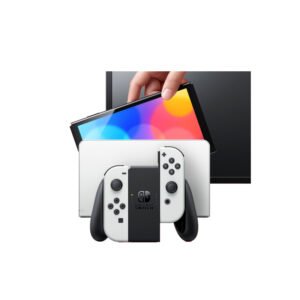
NINTENDO SWITCH OLED MODEL HEG-001 HANDHELD 64GB CONSOLE - WHITE
Newstar Ldt08T04 13"-27" Full Motion Monitor Desk Mount
سي دي لعبة ام اكس في اس ايه تي في اول اوت لبلاستيشن 4
أقل سعر
الخدمة والإصلاح
أحدث


لا توجد مراجعات حتى الآن.