
-
×
 PROFESSIONAL STREAMING PLAYER STAND L1
1 × 13.900 OMR
-
×
 WONDER WAX HAIR KIT
1 × 1.500 OMR
-
×
 YH 25 PS4 Multifunctional Heat Dissipation Charging Bracket
1 × 12.900 OMR
-
×
 NEWSTAR 91 LDT07C048 13" 27" FULL MOTION MONITER DEST MOUNT
1 × 14.400 OMR
-
×
 TIAN DU FAST CAR REMOTE CONTROL TOYS
1 × 4.000 OMR
-
×
 WAHL 3615 Cordless Mobile shaver
1 × 9.800 OMR
-
×
 قارئ بطاقات أومنيكي 3121
1 × 7.900 OMR
-
×
 Xiaomi Braided Cable Usb C to Usb C 3A 60w 1mtr
1 × 2.500 OMR
-
×
 SONY PS4 UFC 4 GAME CD
1 × 16.000 OMR
-
×
 حامل الشحن DOBE PS4 TP4 TP4 023B
1 × 6.900 OMR
-
×
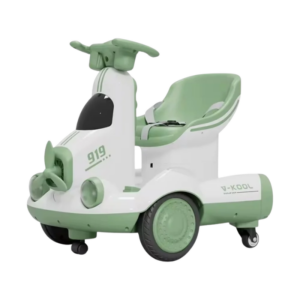 Cleo-TY Kids Scooter HB 919-E1
1 × 26.900 OMR
-
×
 Philips STE1030 Garment steamer
1 × 34.800 OMR
-
×
 TOVASTE MOL1C(XLR+XLR) MIC CABLE
1 × 4.500 OMR
-
×
 Spok Pager T5
1 × 4.000 OMR
-
×
 ثلاجة كلي أوسب
1 × 5.900 OMR
المجموع: 165.900 OMR
 أقل سعر
 الخدمة والإصلاح


 أحدث



لا توجد مراجعات حتى الآن.