1. **Unboxing**: Begin by carefully unpacking the REEON RN-312 Alarm Clock from its packaging. Ensure that all components are present, including the main unit, power adapter (if applicable), and any user manuals.
2. **Powering On**: If the clock operates using batteries, open the battery compartment and insert the required batteries according to the polarity markings. Alternatively, if it uses a power adapter, plug it into a suitable power outlet. The clock should power on automatically once connected to power.
3. **Setting the Time**: Locate the “Time Set” button on the clock’s interface. Press and hold this button until the time display starts flashing. Use the directional buttons or dial, if available, to adjust the hours and minutes to the correct time. Press the “Time Set” button again to confirm the settings.
4. **Setting the Alarm**: Find the “Alarm Set” button on the clock. Press and hold it until the alarm time starts flashing. Use the directional buttons or dial to adjust the desired alarm time. Press the “Alarm Set” button again to confirm the settings.
5. **Choosing Alarm Sound**: Depending on the model, you may have options for the alarm sound. Look for buttons labeled “Alarm Sound” or similar. Press these buttons to cycle through the available sound options, such as beeping, radio, or nature sounds.
6. **Testing the Alarm**: After setting the alarm, it’s a good idea to test it to ensure it functions correctly. Set the alarm to go off a few minutes ahead and wait for it to trigger.
7. **Snooze Function**: If the clock includes a snooze function, locate the “Snooze” button. When the alarm sounds, press the “Snooze” button to temporarily silence the alarm and obtain a few extra minutes of sleep.
8. **Turning Off the Alarm**: To turn off the alarm completely, locate the “Alarm Off” or similar button on the clock. Press this button when the alarm sounds to stop it from ringing.
9. **Additional Features**: Explore any additional features offered by the REEON RN-312 Alarm Clock, such as radio tuning, backlight adjustment, or temperature display.
10. **Maintenance**: Periodically check the clock’s batteries (if applicable) to ensure they’re still functioning correctly. Clean the clock’s surface and buttons as needed to keep it looking and functioning its best.
Following these steps, you can easily set up and utilize the REEON RN-312 Alarm Clock to ensure you wake up reliably every morning.

 Casio Mini Portable Keyboard Sa81 44-key Black
1 × 28.000 OMR
Casio Mini Portable Keyboard Sa81 44-key Black
1 × 28.000 OMR  LAVALIER MICROPHONE LJ01B
1 × 1.500 OMR
LAVALIER MICROPHONE LJ01B
1 × 1.500 OMR  ميلوديكا ميلوديكا النحلة Bm 13k
1 × 5.900 OMR
ميلوديكا ميلوديكا النحلة Bm 13k
1 × 5.900 OMR  أقل سعر
 الخدمة والإصلاح

 أحدث
أحدث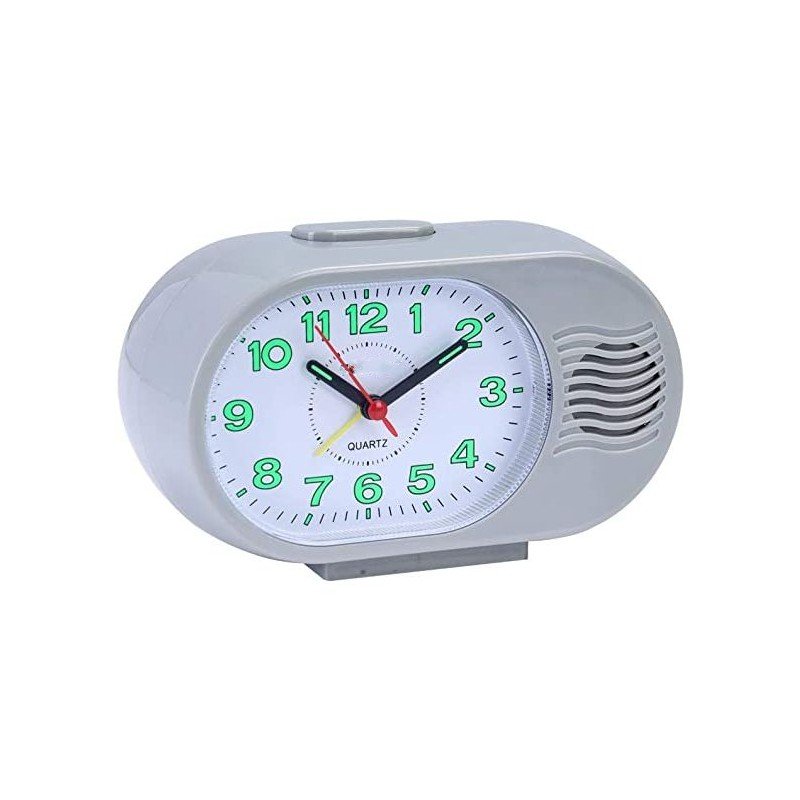

لا توجد مراجعات حتى الآن.