
 أقل سعر
 الخدمة والإصلاح

 أحدث
أحدث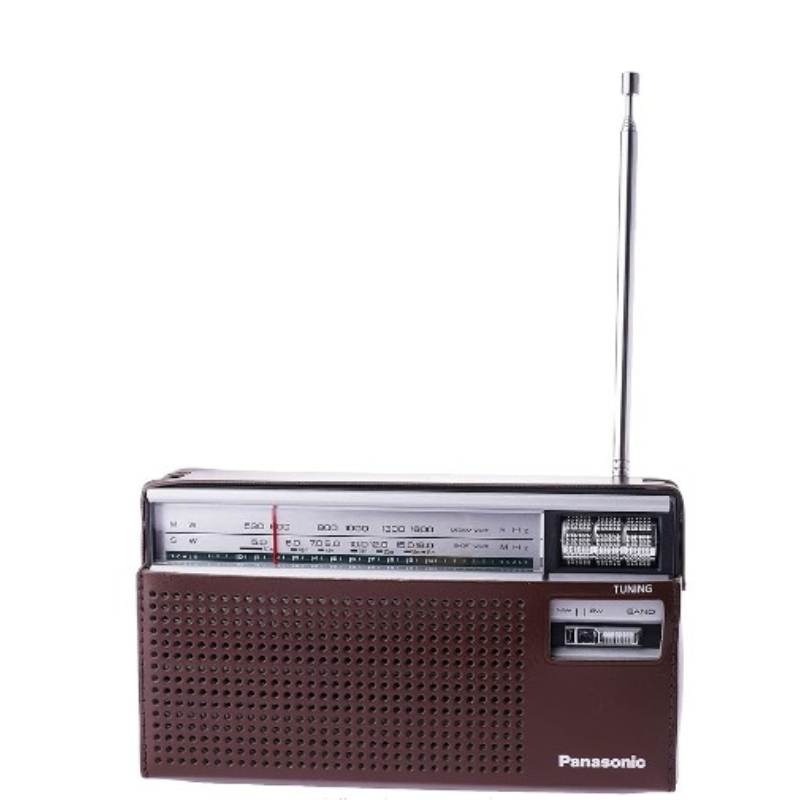
PANASONIC R-218DD MW/SW 2 BAND PORTABLE RADIO
SKU: PANASONIC R-218DD MW/SW 2 BAND PORTABLE RADIO
متوفر في المخزون
TUNER Frequency Range MW 520 – 1610kHz SW 4.75 – 18MHz , AFC (Automatic Frequency Control) , Tuning , Tuning LED , AUDIO SYSTEM Power Output (RMS) 500mW (MAX) , Speaker Size 6.5 cm ,
12.500 OMR
متوفر في المخزون
Here’s a five-step description for the PANASONIC R-218DD MW/SW 2 Band Portable Radio:
1. **Power On**: Begin by powering on the PANASONIC R-218DD MW/SW 2 Band Portable Radio using the power button. Typically, this button is located on the front or top of the radio.
2. **Band Selection**: Use the band selector switch or buttons to choose the desired radio band. The PANASONIC R-218DD supports two bands: MW (Medium Wave) and SW (Shortwave). Select the band you prefer to listen to.
3. **Tuning**: Adjust the tuning dial or buttons to scan through available frequencies within the selected radio band. Turn the dial slowly to fine-tune the frequency until you find clear reception of your desired radio station.
4. **Volume Adjustment**: Adjust the volume level using the volume control knob or buttons to your preferred listening level. Start with a low volume and gradually increase it until you reach the desired sound level.
5. **Enjoyment**: Once you’ve tuned in to your desired radio station and adjusted the volume, sit back and enjoy listening to the PANASONIC R-218DD MW/SW 2 Band Portable Radio. Whether at home, in the office, or on the go, this compact and portable radio provides reliable and clear sound for your listening pleasure.
Following these steps will help you set up and use the PANASONIC R-218DD MW/SW 2 Band Portable Radio with ease.

لا توجد مراجعات حتى الآن.