1. **Charging**: Begin by ensuring that the fan is fully charged before use. Plug the provided USB cable into a power source such as a laptop, power bank, or wall adapter. Connect the other end of the cable to the fan’s charging port. The LED indicator will illuminate to indicate that charging is in progress. Wait until the indicator turns off, indicating that the battery is fully charged.
2. **Power On**: Once the fan is fully charged, press the power button located on the fan’s control panel to turn it on. The fan will start operating at its default speed setting.
3. **Adjust Speed**: The MR 3405 fan offers multiple speed settings to suit your preference. To adjust the speed, press the speed control button on the control panel. Cycle through the different speed levels until you find the desired airflow intensity.
4. **Activate LED Light**: To use the LED light function, locate the LED button on the control panel. Press the button to turn on the LED light. You can adjust the brightness of the light by pressing the button multiple times to cycle through the available brightness levels. Press the button again to turn off the LED light when not needed.
5. **Usage and Maintenance**: Enjoy the cooling breeze and illumination provided by the MR LIGHT MR 3405 fan. After use, remember to turn off the fan and LED light to conserve battery power. Keep the fan clean by gently wiping the blades and exterior surfaces with a soft, damp cloth. Store the fan in a cool, dry place when not in use to prolong its lifespan.
Following these simple steps will ensure optimal performance and longevity of your MR LIGHT MR 3405 Rechargeable Multi Fan with LED.

 XBOX ONE FAST AND FURIOUS GAME CD
1 × 19.900 OMR
XBOX ONE FAST AND FURIOUS GAME CD
1 × 19.900 OMR  خرطوشة PG-445 من كانون PG-445 أسود
1 × 7.600 OMR
خرطوشة PG-445 من كانون PG-445 أسود
1 × 7.600 OMR  PHILIPS HD 1172 Dry Iron
1 × 5.800 OMR
PHILIPS HD 1172 Dry Iron
1 × 5.800 OMR  أقل سعر
 الخدمة والإصلاح

 أحدث
أحدث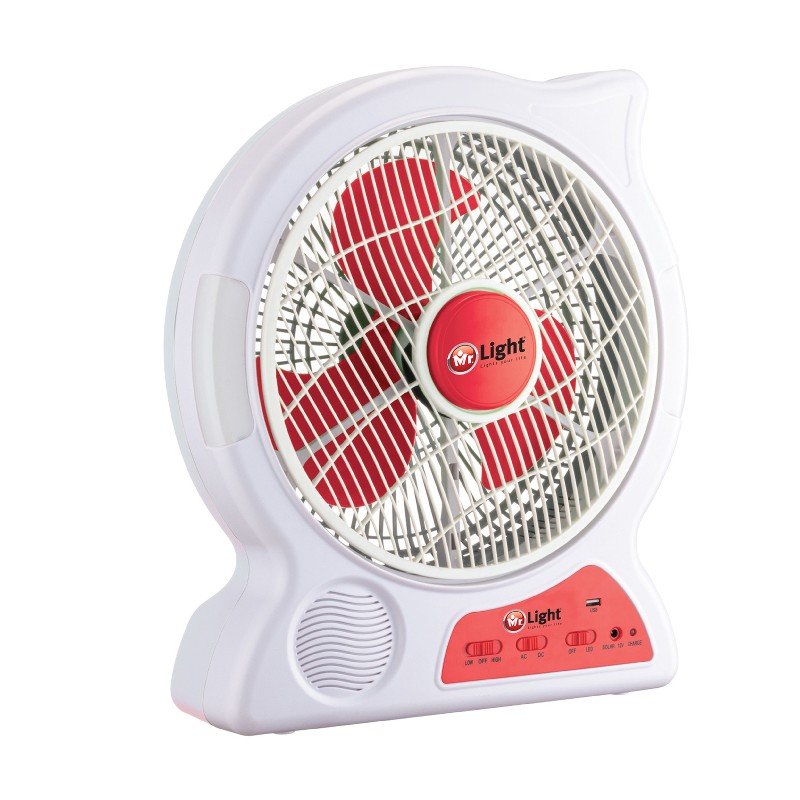
لا توجد مراجعات حتى الآن.