
-
×
 BOYA WIRELESS MICROPHONE BY WM4 PRO
1 × 47.900 OMR
BOYA WIRELESS MICROPHONE BY WM4 PRO
1 × 47.900 OMR
المجموع: 47.900 OMR
SKU: 1406000027
متوفر في المخزون
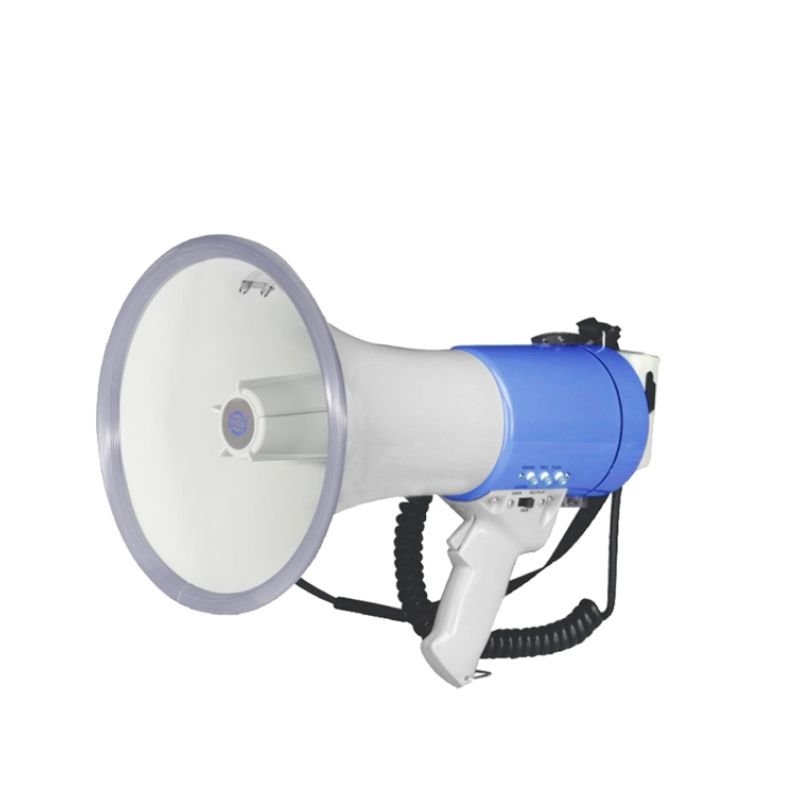
The MAX ER66 Megaphone is a powerful and portable audio amplification device designed for public address and crowd control. With its robust construction and ergonomic design, it offers clear and loud sound projection, making it suitable for outdoor events, rallies, sports activities, and emergency situations. Featuring a built-in microphone and adjustable volume control, it provides versatile functionality for addressing large groups of people with ease. Compact and lightweight, the MAX ER66 Megaphone is an essential tool for organizers, security personnel, and emergency responders seeking effective communication in noisy environments.
28.000 OMR
متوفر في المخزون
1. **Battery Installation**: Open the battery compartment of the MAX ER66 Megaphone and insert the required batteries. Ensure that you’re using fresh batteries with the correct polarity to power the device.
2. **Power On**: Turn on the MAX ER66 Megaphone by flipping the power switch to the “on” position. You may hear a beep or see a light indicating that the megaphone is powered up and ready for use.
3. **Adjust Volume**: Use the volume control knob to adjust the volume level according to your needs. Turn the knob clockwise to increase the volume and counterclockwise to decrease it. Start with a low volume and gradually increase it to avoid sudden loud noises.
4. **Using the Microphone**: Speak into the built-in microphone located on the megaphone’s body. Hold the megaphone close to your mouth for clear and effective communication. Ensure that you speak clearly and loudly enough for your intended audience to hear.
5. **Announcing Messages**: Use the MAX ER66 Megaphone to announce messages, instructions, or alerts to your audience. Speak confidently and clearly, directing your voice toward the microphone for optimal sound projection.
6. **Adjusting Range**: To extend the range of the megaphone’s sound projection, hold it at chest height with the microphone facing towards your audience. Avoid covering the microphone or obstructing its path for the best results.
7. **Turning Off**: When you’re finished using the MAX ER66 Megaphone, turn it off by flipping the power switch to the “off” position. This helps conserve battery life and ensures that the megaphone is ready for future use.
8. **Storage**: Store the MAX ER66 Megaphone in a cool, dry place when not in use. Avoid exposing it to extreme temperatures or moisture, which could damage the device. Additionally, remove the batteries if the megaphone will not be used for an extended period.
By following these steps, you can effectively use the MAX ER66 Megaphone to deliver messages and communicate with clarity and authority in various situations.
 أقل سعر
 الخدمة والإصلاح

 أحدث
أحدث
لا توجد مراجعات حتى الآن.