1. **Unboxing**: Open the packaging of the MAX DH744 Wireless Microphone. Inside, you’ll find the microphone transmitter, receiver, any accompanying cables, user manual, and possibly batteries or a charging cable.
2. **Powering On**: If the microphone and receiver require batteries, insert them into their respective compartments. Power on both the microphone transmitter and receiver by pressing the power buttons or switches. Ensure that both devices are fully charged or have fresh batteries installed.
3. **Pairing**: The microphone transmitter and receiver may come pre-paired, but if not, follow the manufacturer’s instructions to pair them. This typically involves pressing a sync or pairing button on both devices until they connect. Once paired, you should see an indicator light or hear a sound confirming the connection.
4. **Connecting Receiver**: Connect the receiver to your sound system, amplifier, mixer, or speaker using the provided audio cable. Plug one end of the cable into the audio output port on the receiver and the other end into the audio input port on your sound system.
5. **Microphone Placement**: Attach the microphone to your clothing using the included clip or strap. Position the microphone near your mouth for optimal sound pickup, ensuring it’s securely fastened and won’t interfere with your movements.
6. **Testing**: Turn on your sound system and microphone. Speak or sing into the microphone to test the audio levels. Adjust the volume on both the microphone and receiver to achieve the desired sound level without distortion.
7. **Performance**: Once the microphone is set up and tested, you’re ready to use it for your presentation, performance, or recording. Move freely within the microphone’s range while maintaining clear communication or audio transmission.
8. **Monitoring Battery Life**: Keep an eye on the battery life of both the microphone transmitter and receiver during use. If the battery is running low, replace or recharge them as needed to avoid interruptions in your performance.
9. **Powering Off**: When you’re finished using the microphone, turn off both the microphone transmitter and receiver to conserve battery life. Disconnect the receiver from your sound system and store all components in a safe place for future use.
By following these steps, you can effectively set up and use the MAX DH744 Wireless Microphone for your audio recording or communication needs.

 TOLAYE KS06 KEYBOARD STAND
1 × 14.000 OMR
TOLAYE KS06 KEYBOARD STAND
1 × 14.000 OMR  BOYA WIRELESS MICROPHONE BY WM4 PRO
1 × 47.900 OMR
BOYA WIRELESS MICROPHONE BY WM4 PRO
1 × 47.900 OMR  KALIMBA 17 KEYS FINGER PIANO
1 × 13.800 OMR
KALIMBA 17 KEYS FINGER PIANO
1 × 13.800 OMR  أقل سعر
 الخدمة والإصلاح

 أحدث
أحدث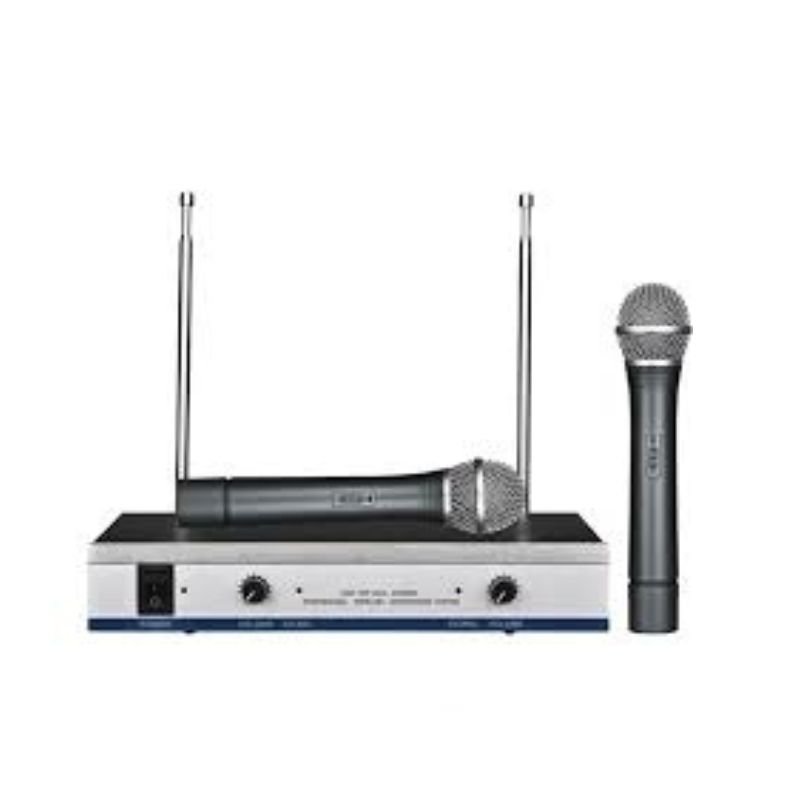
لا توجد مراجعات حتى الآن.