
-
×
 X BOX WIRELESS CONTROLLER ELECTRIC VOLT YELLOW
1 × 20.900 OMR
X BOX WIRELESS CONTROLLER ELECTRIC VOLT YELLOW
1 × 20.900 OMR -
×
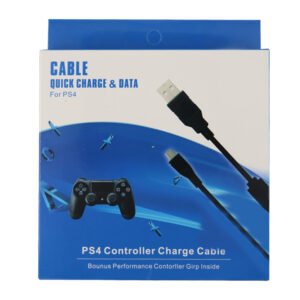 USB DATA CABLE PS4
1 × 1.900 OMR
USB DATA CABLE PS4
1 × 1.900 OMR
المجموع: 22.800 OMR


SKU:
The JBL Wireless Microphone Set UHF-300 offers dual-channel UHF wireless microphones with up to 6 hours of playtime. Featuring plug-and-play setup, rechargeable receiver, and compatibility with JBL PartyBox speakers, it’s ideal for karaoke and public speaking events.
32.800 OMR
Unbox the Microphone Set
Remove the JBL Wireless Microphone Set UHF-300 and all included accessories from the packaging.
Ensure you have the two wireless microphones, dual-channel receiver, USB-C charging cable, quick-start guide, safety sheet, and warranty card.
Insert Batteries into Microphones
Open the battery compartment of each microphone.
Insert the included AA batteries, ensuring correct polarity.
Close the battery compartment securely.
Charge the Receiver
Connect the provided USB-C cable to the receiver and plug the other end into a power source (5V/1A).
Allow approximately 2 hours for the receiver to fully charge.
The receiver’s LED indicator will show the charging status.
Power On the Microphones and Receiver
Press and hold the power button on each microphone until the LED indicator lights up.
Press and hold the power button on the receiver until its LED indicator lights up.
The microphones and receiver will automatically pair.
Connect the Receiver to a Speaker
Plug the receiver’s 1/4″ (6.3 mm) unbalanced output into the microphone input of your speaker.
For optimal performance, use with JBL PartyBox speakers equipped with a mic input.
Test the Microphones
Speak into each microphone to ensure clear audio output.
Adjust the volume levels on your speaker as needed.
Monitor Battery Life
The microphones use replaceable AA batteries.
Monitor battery life and replace batteries as needed to maintain performance.
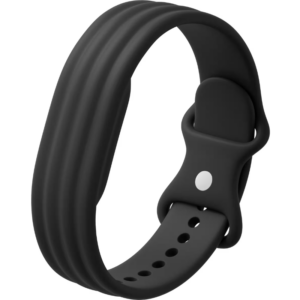
سوار Fitbit Active الرسمي المصنوع من السيليكون بلون أسود داكن، مصمم للاستخدام اليومي، والتمارين الرياضية، وتتبع النوم.
مصنوع من مادة سيليكون ناعمة ومتينة، مقاومة للعرق والماء، ولطيفة على البشرة.
يتميز بنظام إغلاق محكم يضمن ثبات السوار في مكانه أثناء ممارسة التمارين الرياضية المكثفة.
مقاوم للماء: مناسب للسباحة والاستحمام والتمارين الرياضية عالية الكثافة.
آلية تثبيت سهلة وسريعة الفك لاستبداله بسلاسة مع أساور Fitbit الأخرى المتوافقة.
متوفر بمقاسين: صغير وكبير، لضمان ملاءمة مثالية ومريحة.
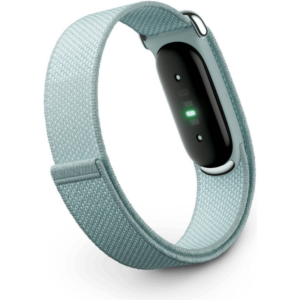
سوار فيتبيت فائق الخفة، مصمم من قبل جوجل، لتتبع اللياقة البدنية والصحة، بدون شاشة، بلون رمادي فاتح أنيق.
يُغنيك عن تشتيت الانتباه بالشاشات الرقمية، ليُوفر لك تتبعًا حيويًا مستمرًا على مدار الساعة طوال أيام الأسبوع، مباشرةً إلى تطبيق فيتبيت المرافق.
يُوفر مراقبة شاملة للصحة، تشمل معدل ضربات القلب، ونسبة تشبع الأكسجين في الدم (SpO2)، وتقلب معدل ضربات القلب (HRV)، ودرجة حرارة الجلد، ومراحل النوم.
بطارية تدوم حتى 7 أيام بشحنة واحدة، لتتبع صحتك دون انقطاع ليلًا ونهارًا.
مصمم بحزام من نسيج ناعم يسمح بمرور الهواء، وكبسولة داخلية رفيعة لتوفير أقصى درجات الراحة أثناء التمارين والنوم.
يتكامل بسلاسة مع رؤى التدريب الصحي المدعومة بالذكاء الاصطناعي من جوجل، ضمن التطبيق المرافق، ليُقدم لك إرشادات عملية للتعافي والعافية.
 أقل سعر
 الخدمة والإصلاح

 أحدث
أحدث
لا توجد مراجعات حتى الآن.