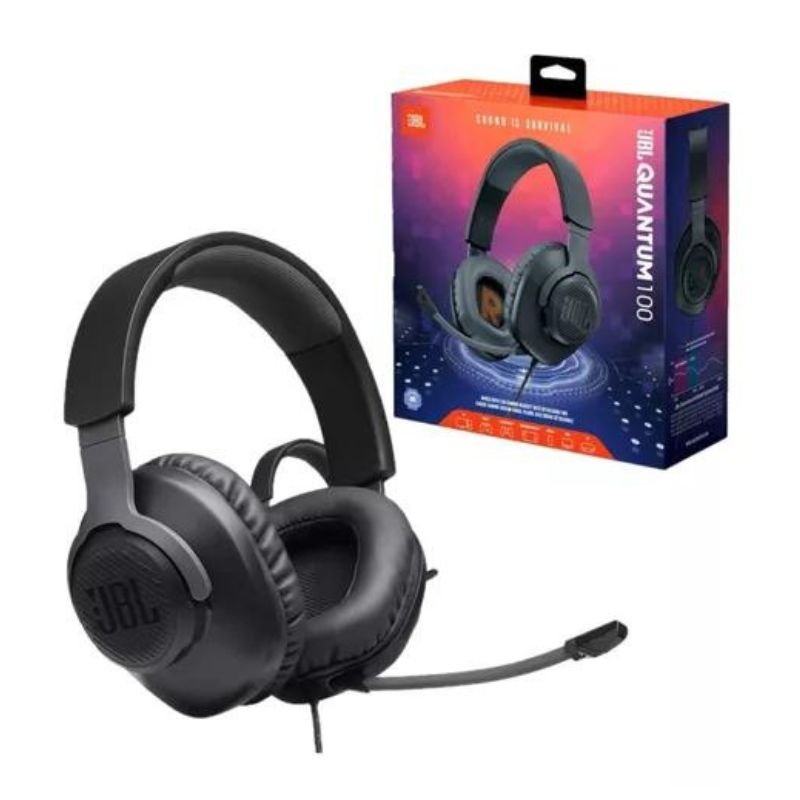
1. **Unboxing**:
– Open the package carefully and remove all contents.
– Ensure that all the components are included: the headset, detachable microphone, USB wireless dongle, charging cable, and any documentation.
2. **Charging**:
– Connect the provided charging cable to the headset’s charging port.
– Plug the other end of the cable into a power source, such as a USB port on your computer or a wall adapter.
– Let the headset charge until the battery is fully charged. This usually takes a few hours.
3. **Turning On**:
– Press and hold the power button on the headset until you see the LED indicator light up.
– Once the headset is powered on, you may hear a startup sound indicating that it’s ready for pairing.
4. **Pairing**:
– Insert the USB wireless dongle into an available USB port on your device (PC, console, etc.).
– The headset should automatically pair with the dongle. If not, press and hold the pairing button on the dongle until it starts flashing.
– The headset and dongle will connect, and you’ll hear a confirmation sound in the headset.
5. **Adjusting Settings**:
– Use the volume wheel on the ear cup to adjust the volume to your preference.
– If needed, adjust the microphone volume or mute/unmute it using the controls on the headset or detachable microphone.
6. **Wearing Comfort**:
– Adjust the headband and ear cups for a comfortable fit. The headband should sit securely on your head without feeling too tight, and the ear cups should fully cover your ears without causing discomfort.
7. **Gaming**:
– Start your gaming device (PC, console, etc.) and launch your favorite game.
– Put on the headset and adjust the audio settings in the game to optimize your gaming experience.
– Enjoy the immersive sound quality and clear communication with your teammates through the headset’s microphone.
8. **Charging and Storage**:
– When not in use, power off the headset to conserve battery life.
– Store the headset in a safe place, preferably in its original packaging or a protective case, to prevent damage.
– If the battery runs low during use, recharge the headset using the provided charging cable.
Following these steps will help you set up and use the JBL Quantum 350 Wireless Headset for an optimal gaming experience.
كمان سيلترون Lf 015 4/4
BIBA Flute Deluxe
نظام مكبرات الصوت سايونا متعدد الوسائط SHT-1321BT
Apple Replacement Macbook Battery For A1494
Sony PS5-CFI-ZCP1WY Controle Sem Fio DualSense Edge
CLEO PLASTIC RECORDER
OCULUS QUEST2 ELITE STRAP with BATTERY and CARRYING CASE
YH 31 PS4 2 in 1 Charging Heat Sink
Cleo-EL Portable Electronic Bakhoor BK-52
Blue Fire Hydroclean Oral Irrigator And Toothbrush BF-10
MIX LITE MOUSE & KEYBOARD CONVERTER
YLT-02FMSY DIGITAL SELECTS MUSIC PLAYER/FM RADIO
Welly Metal Car Mercedes Benz 600 Size 1.24 WL-24121W
HUAWEI GT 2 WATCH CHARGER
BBurago Metal Car Ferrari 499P Size 1.18
MULTI-FUNCTION USB MICRO CHECK CAMERA
YH 25 PS4 Multifunctional Heat Dissipation Charging Bracket
MEIER M-113BT FM/AM/SW WITH USB/TF RADIO
V9000 Gaming HEADSET
أقل سعر
الخدمة والإصلاح
أحدث
لا توجد مراجعات حتى الآن.