
-
×
 MEETION MAT LONGER GAME MOUSE PAD P-100
1 × 3.000 OMR
MEETION MAT LONGER GAME MOUSE PAD P-100
1 × 3.000 OMR
المجموع: 3.000 OMR

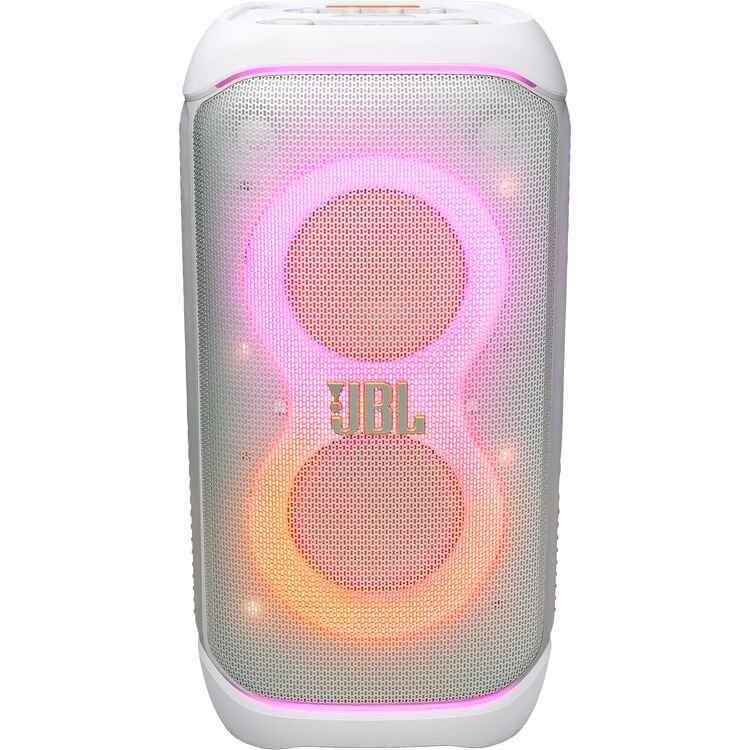
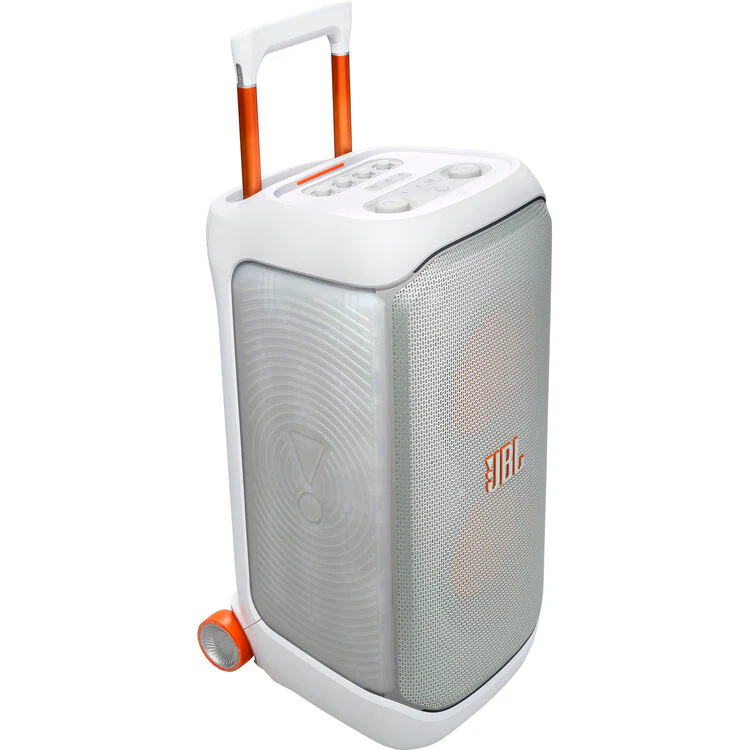
Remove the speaker and accessories from the packaging.
Ensure all parts are intact: speaker, AC power cord, quick-start guide, and warranty card.
Connect the AC power cord to the speaker and plug it into a suitable power source.
Allow the speaker to charge fully before first use.
For extended playtime, consider purchasing an additional replaceable battery.
Press the power button to turn on the speaker.
The speaker will emit a startup sound and the LED light show will activate.
Activate Bluetooth on your device.
Search for “JBL PartyBox Stage 320” in your device’s Bluetooth settings.
Select the speaker to pair and connect.
Use the JBL PartyBox app to customize the EQ settings, light show, and other audio preferences.
Adjust volume using the speaker’s control panel or your connected device.
The speaker features an adaptive light show with starry lights, light trails, and strobe effects.
Customize the light show using the JBL PartyBox app to sync with your music.
Use the dual microphone and guitar inputs for karaoke or live performances.
Connect additional JBL PartyBox speakers using the Auracast™ feature for a larger soundstage.
The speaker is IPX4-rated, meaning it is splash-proof and can withstand light rain.
Avoid submerging the speaker in water.
Press and hold the power button to turn off the speaker.
Disconnect any connected devices and store the speaker in a safe, dry place.
 أقل سعر
 الخدمة والإصلاح


لا توجد مراجعات حتى الآن.