
-
×
 إطار نظارات ديسبادا كلوب DSC 5271 C3
1 × 25.000 OMR
-
×
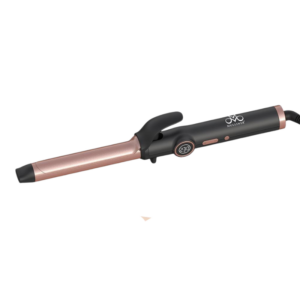 مكواة تجعيد الشعر الاحترافية من مولينر ML 8012 بقوة 75 واط
1 × 10.900 OMR
-
×
 Welly Metal Car Jeep Jeepster Commando Roadster Size 1.24 WL-24117C-W
2 × 12.900 OMR
-
×
 نوكيا اي 90
1 × 120.000 OMR
-
×
 iPhone SE 2020 - 128 GB - White
1 × 185.000 OMR
-
×
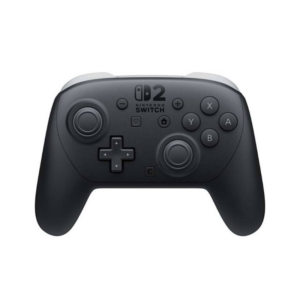 وحدة تحكم Nintendo Switch Pro
1 × 25.900 OMR
-
×
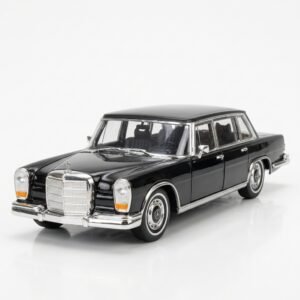 Welly Metal Car Mercedes Benz 600 Size 1.24 WL-24121W
1 × 12.900 OMR
-
×
 Telionix Smart Digital Grill Maker TGM1240
1 × 35.900 OMR
-
×
 Motorola Edge 70 Fusion 5g Gsm Ram 12 GB 256 GB
1 × 142.800 OMR
-
×
 PROFESSIONAL STREAMING PLAYER STAND L1
1 × 13.900 OMR
-
×
 Philips OneBlade 360 Shaver QP2734/23
1 × 22.900 OMR
-
×
 BIBA Flute Deluxe
1 × 6.500 OMR
-
×
 ONTEN USB to HDMI Adapter
1 × 8.900 OMR
-
×
 SONY PS4 Final Fantasy XII GAME CD
1 × 8.800 OMR
-
×
 Cleo-GA Wired Gaming Headphone H83
1 × 5.900 OMR
-
×
 BOYA WIRELESS MICROPHONE BY WM4 PRO
1 × 47.900 OMR
المجموع: 699.000 OMR
 أقل سعر
 الخدمة والإصلاح


 أحدث

لا توجد مراجعات حتى الآن.