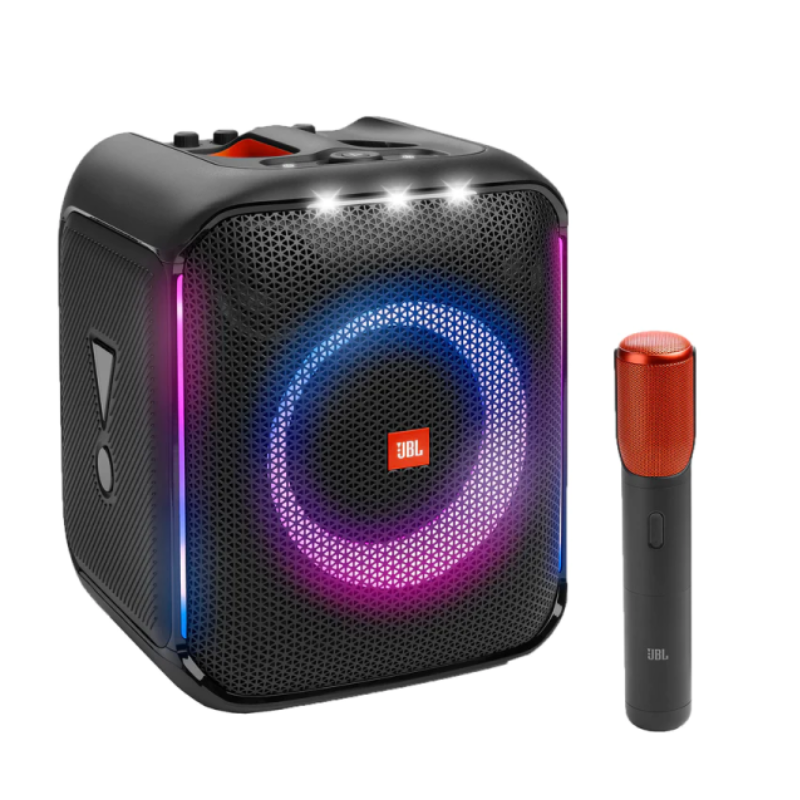
1. **Power On**: Press and hold the power button to turn on the JBL PartyBox Encore. The power indicator will light up to indicate the speaker is on.
2. **Bluetooth Pairing**: Activate Bluetooth on your mobile device (phone, tablet, etc.). Press the Bluetooth button on the PartyBox Encore to enter pairing mode (indicated by flashing Bluetooth lights). Select “JBL PartyBox Encore” from your device’s Bluetooth menu to connect.
3. **Adjust Settings**: Use the control panel on the speaker to adjust volume, bass, treble, and activate different light show modes. Customize the sound to your preference for optimal audio quality.
4. **Connect Additional Devices**: Utilize the USB port to play music directly from a USB flash drive. Alternatively, connect other audio sources via the aux input for wired playback options.
5. **Microphone and Guitar Input**: If desired, connect a microphone or guitar to the dedicated input jacks on the PartyBox Encore. Adjust the microphone/guitar volume using the dedicated knobs on the control panel.
6. **Enjoy the Experience**: With its powerful JBL Pro Sound and vibrant light effects, the PartyBox Encore enhances any party or gathering with immersive audio and dynamic visuals. Its portable design, sturdy build, and rechargeable battery ensure hours of entertainment indoors or outdoors.
BOYA WIRELESS MICROPHONE BY WM4 PRO
MAX BMS 135 BOOM MIC STAND
AHUJA UTP30 WIRED TIE CLIP MIC
KALIMBA 17 KEYS FINGER PIANO
JACOBS SKBB-413/5 STEREO TO RC CABLE
Sony PS4 Minecraft Dungeons Hero Edition Game CD
Sayona Robot Vacuum Cleaner SBV2456
YH 31 PS4 2 in 1 Charging Heat Sink
3713 ج موسيقى جيتار 3713 ج
INSTA 360 ONE R TWIN EDITION LENS ACTION CAMERA
BOYA LARGER DIAPHRAGM CONDENSER MICROPHONE BY M1000
أقل سعر
الخدمة والإصلاح
أحدث
لا توجد مراجعات حتى الآن.