
-
×
 شاحن كمبيوتر محمول Dell 19 فولت من الفئة A بدون كابل طاقة
1 × 15.000 OMR
شاحن كمبيوتر محمول Dell 19 فولت من الفئة A بدون كابل طاقة
1 × 15.000 OMR
المجموع: 15.000 OMR
SKU: 03070204000051
متوفر في المخزون
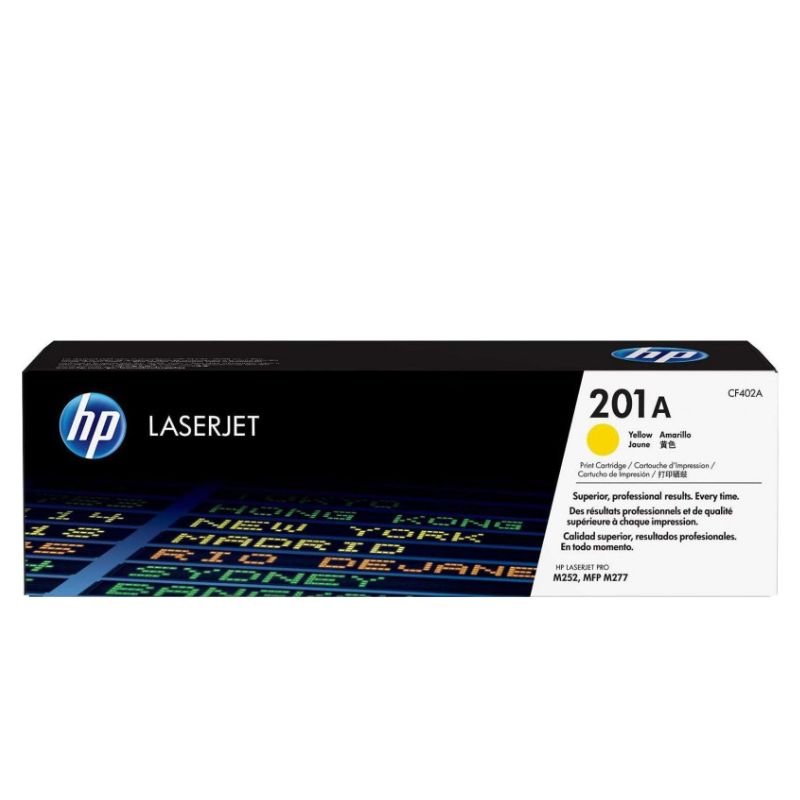
The HP CF402A Yellow Toner is a premium-quality toner cartridge designed for HP LaserJet printers. Delivering vibrant yellow hues, it ensures professional-grade prints for various documents, presentations, and images, making it an ideal choice for both personal and business printing needs.
22.000 OMR
متوفر في المخزون
1. Unboxing: Carefully unpack the HP CF402A Yellow Toner from its packaging, ensuring gentle handling to avoid any damage to the cartridge.
2. Printer Preparation: Power on your HP LaserJet printer and open the front cover or toner access panel to access the toner cartridge compartment.
3. Cartridge Installation: Remove the old toner cartridge by gently pulling it out of the printer. Then, take the HP CF402A Yellow Toner out of its packaging and shake it gently from side to side to evenly distribute the toner. Insert the new cartridge into the printer, ensuring it is securely seated in the correct slot.
4. Locking: Close the front cover or toner access panel of the printer, ensuring it clicks securely into place to lock the cartridge in position.
5. Test Print: Print a test page to verify that the HP CF402A Yellow Toner is installed correctly and that the printer is functioning properly. If the test page prints successfully, you’re ready to produce vibrant yellow prints with your HP LaserJet printer.
“TECHNICAL SPECIFICATIONS
Input Impedance: 32 Ohms
Sensitivity (headphone): 94dBV/Pa +/- 3 dB
Sensitivity (microphone): -17 dBV/Pa +/- 4 dB
Frequency response (Headset): 20 Hz – 20 kHz
Frequency response (Microphone): 100 Hz -10 kHz
Cable length: 7.64 ft (2.33m )
Connections: USB-A compatible (1.1, 2.0, 3.0)
SYSTEM REQUIREMENTS
Works with Common calling applications across almost all platforms and operating systems.
Windows® or macOS®
Chrome OS™
USB port (Type A port or adapter)
DIMENSIONS
Height x Width x Depth:
7.87 in (200 mm) x 9.65 in (245 mm) x 2.83 in (72 mm)
Weight: 6.9 oz (0.197 Kg)”
 أقل سعر
 الخدمة والإصلاح

 أحدث
أحدث
لا توجد مراجعات حتى الآن.