
-
×
 نوكيا 6800 مستعملة
1 × 33.500 OMR
-
×
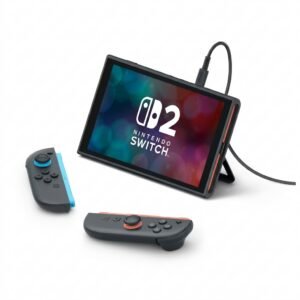 Nintendo Switch 2 Pokemon Pokopia Limited Edition Console
1 × 249.900 OMR
-
×
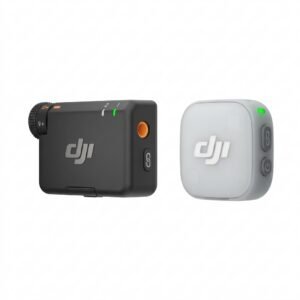 Dji Mini Wireless Microphone DMMR01
1 × 23.900 OMR
-
×
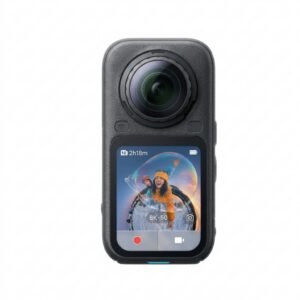 Insta360 X6 8K 360 Action Camera
1 × 239.900 OMR
-
×
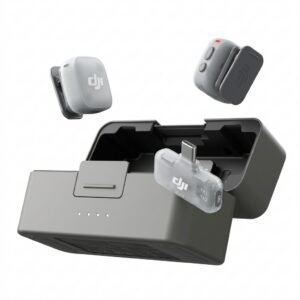 Dji Mini 2 Wireless Microphone DMMR02
1 × 29.900 OMR
-
×
 ANNKE DVR DN41R
1 × 10.300 OMR
-
×
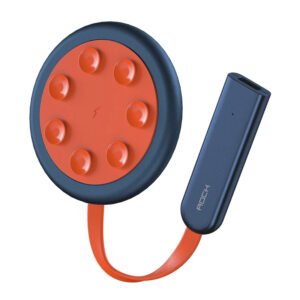 شاحن سريع مزدوج الجانب ROCK W24 مزدوج الجانب
1 × 5.200 OMR
-
×
 MAX ABT-1920 Portable Speaker
1 × 60.000 OMR
-
×
 مشبك الهاتف المحمول DOBE PS4 TP4 TP4 016 CLAMP
1 × 1.900 OMR
-
×
 MAX CM-077R MEGA PHONE
1 × 13.000 OMR
-
×
 USB DATA CABLE PS4
1 × 1.900 OMR
-
×
 حامل الشحن DOBE PS4 TP4 TP4 023B
1 × 6.900 OMR
-
×
 سيارة معدنية أبولو إيفو الخارقة، مقاس 1.24
1 × 6.500 OMR
-
×
 TIAN DU FAST CAR REMOTE CONTROL TOYS
1 × 4.000 OMR
-
×
 سيارة معدنية مرسيدس بنز C260L مقاس 1.24
1 × 6.500 OMR
-
×
 BOYA BY WM4 PRO K3 2.4GHz WIRELESS MICROPHONE SYSTEM
1 × 49.900 OMR
-
×
 FOLDABLE PEDAL EXERCISER
1 × 5.900 OMR
-
×
 Coopic Digital Camera C200
1 × 24.800 OMR
-
×
 ميلي اي داتا اير فلاش درايف بسعة 32 جيجا بايت
1 × 8.450 OMR
-
×
 Cleo-TY Aircraft Fighter Jet
1 × 3.900 OMR
المجموع: 786.250 OMR
 أقل سعر
 الخدمة والإصلاح


 أحدث


لا توجد مراجعات حتى الآن.