
-
×
 CLEO PLASTIC RECORDER
1 × 0.700 OMR
-
×
 BOYA WIRELESS MICROPHONE BY WM4 PRO
1 × 47.900 OMR
-
×
 ONTEN USB to HDMI Adapter
1 × 8.900 OMR
-
×
 BOYA BY WM4 PRO K3 2.4GHz WIRELESS MICROPHONE SYSTEM
1 × 49.900 OMR
-
×
 YH 25 PS4 Multifunctional Heat Dissipation Charging Bracket
2 × 12.900 OMR
-
×
 TOLAYE KS06 KEYBOARD STAND
1 × 14.000 OMR
-
×
 Sony PS5 Village Resident Evil Game CD
1 × 12.900 OMR
-
×
 BOYA LARGER DIAPHRAGM CONDENSER MICROPHONE BY M1000
1 × 38.800 OMR
-
×
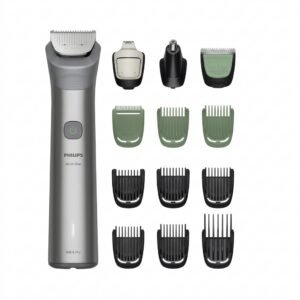 Philips 5000 Series All In One Trimmer 13 In 1 MG5942/15
1 × 19.900 OMR
-
×
 YSL KOUROS MEN'S EDT 100 ml
1 × 32.900 OMR
-
×
 Sony PS4 Rust Console Edition Game CD
1 × 18.800 OMR
-
×
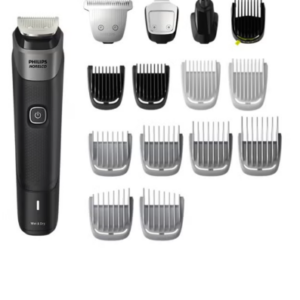 Philips 5000 Series Norelco All In One Trimmer MG5910/49
1 × 24.900 OMR
-
×
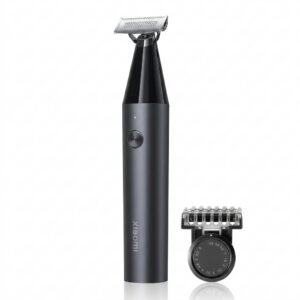 Xiaomi UniBlade Trimmer X300
2 × 9.900 OMR
-
×
 Sony PS4 Sniper Ghost Warrior Contracts 2 Game CD
1 × 12.900 OMR
-
×
 نوكيا 6234
1 × 44.000 OMR
-
×
 MAX DH 302 MICROPHONE
1 × 25.000 OMR
-
×
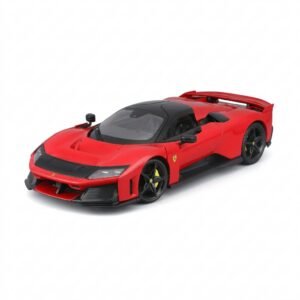 BBurago Metal Car Ferrari F80 Size 1.18 18-16022
1 × 42.900 OMR
-
×
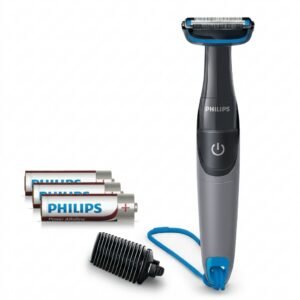 Philips 1000 Series Body Groomer BG1025/15
2 × 10.900 OMR
-
×
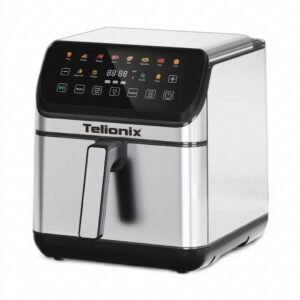 Telionix Electric Air Fryer 9L TAF4424
1 × 34.900 OMR
-
×
 Braun Series 8 8390CC Wet & Dry Shaver with Clean & Charge Station & Travel Case
1 × 99.900 OMR
-
×
 BIBA Flute Deluxe
1 × 6.500 OMR
-
×
 نوكيا 6800 مستعملة
1 × 33.500 OMR
المجموع: 636.600 OMR
 أقل سعر
 الخدمة والإصلاح


 أحدث

لا توجد مراجعات حتى الآن.