
-
×
 MEGA MIX 120 12-CHANEL MIXER
1 × 99.000 OMR
MEGA MIX 120 12-CHANEL MIXER
1 × 99.000 OMR -
×
 YH 31 PS4 2 in 1 Charging Heat Sink
1 × 11.900 OMR
YH 31 PS4 2 in 1 Charging Heat Sink
1 × 11.900 OMR
المجموع: 110.900 OMR
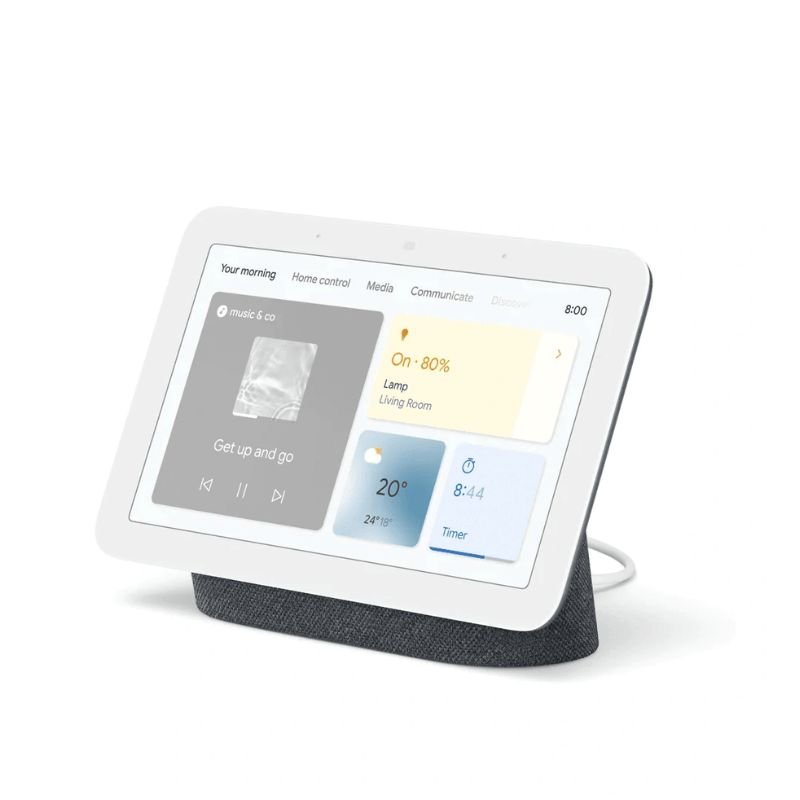
SKU: Google Nest Hub 2nd Gen 7" Smart Display - Charcoal
غير متوفر في المخزون
The Google Nest Hub 2nd Gen is a versatile 7-inch smart display in charcoal color, designed to seamlessly integrate into your smart home ecosystem. With Google Assistant built-in, it serves as a central hub for managing your daily routines, controlling smart home devices, and accessing information with just your voice or touch. Enjoy vivid visuals, crisp sound, and convenient features like voice-controlled media playback, personalized recommendations, and visual responses to your queries. Its sleek design blends effortlessly into any space, making it a stylish and functional addition to your home.
غير متوفر في المخزون
1. **Unboxing and Powering On**:
– Unbox the Google Nest Hub 2nd Gen and plug it into a power outlet using the included power adapter.
– The device will boot up and guide you through the initial setup process on its touchscreen.
2. **Connecting to Wi-Fi**:
– Follow the on-screen instructions to connect the Nest Hub to your Wi-Fi network.
– You’ll need to select your network and enter the password if required.
3. **Sign in to Your Google Account**:
– Sign in to your Google Account to access personalized features like calendar events, reminders, and recommendations.
– If you don’t have a Google Account, you can create one during the setup process.
4. **Customize Settings**:
– Once connected to Wi-Fi and signed in, customize your Nest Hub’s settings according to your preferences.
– Adjust settings such as language, display brightness, ambient EQ, and more.
5. **Explore Features**:
– Start exploring the various features of the Google Nest Hub 2nd Gen.
– Use voice commands to interact with Google Assistant, play music, check the weather, set timers, control smart home devices, and more.
– Swipe left or right on the touchscreen to access different cards, including your calendar, news, and recommendations.
– Enjoy personalized recommendations and responses tailored to your usage patterns and preferences.
 أقل سعر
 الخدمة والإصلاح

 أحدث
أحدث
لا توجد مراجعات حتى الآن.