Here’s a step-by-step guide on how to set up and use the EZVIZ H3C Outdoor Wi-Fi Smart Home Camera:
1. **Unboxing**: Open the package containing the EZVIZ H3C Outdoor Wi-Fi Smart Home Camera and ensure all components are present. This typically includes the camera, mounting hardware, power adapter, and any additional accessories.
2. **Camera Placement**: Choose a suitable outdoor location to install the camera, ensuring it has a clear view of the area you want to monitor. Consider factors such as visibility, Wi-Fi signal strength, and power source accessibility.
3. **Mounting**: Use the included mounting hardware to securely attach the camera to the desired location. Make sure the mounting surface is stable and can support the weight of the camera.
4. **Power Connection**: Connect the power adapter to the camera and plug it into a power outlet. Ensure the power source is reliable and weatherproof to prevent any disruptions in camera operation.
5. **Wi-Fi Setup**: Download the EZVIZ app on your smartphone or tablet and create a new user account. Follow the in-app instructions to connect the camera to your Wi-Fi network. Make sure to choose the2.4GHz Wi-Fi network for optimal performance.
6. **Camera Activation**: Once the camera is connected to your Wi-Fi network, follow the app prompts to activate he camera and complete the setup process. This may involve scanning a QR code or entering a device-specific code.
7. **Live View**: Access the live video feed from the camera through the EZVIZ app on your mobile device. You can view the footage in real-time and adjust camera settings as needed.
8. **Customization**: Customize the camera settings according to your preferences, such as motion detection sensitivity, alert notifications, recording schedules, and more. This allows you to tailor the camera’s functionality to suit your specific security needs.
9. **Monitoring**: Monitor the camera feed regularly through the EZVIZ app to stay informed of any activity detected around your home. You can also review recorded footage stored on the camera’s memory card or cloud storage.
10. **Maintenance**: Periodically check the camera for any signs of damage, obstruction, or malfunction. Clean the lens and housing as needed to maintain clear and reliable video quality.
By following these steps, you can effectively set up and use the EZVIZ H3C Outdoor Wi-Fi Smart Home Camera to enhance your home security and monitor your outdoor space with ease.
MAX BMS 135 BOOM MIC STAND
قارئ بطاقات أومنيكي 3121
ثلاجة كلي أوسب
Intelligent Hula Hoop with Counting Function
3713 ج موسيقى جيتار 3713 ج
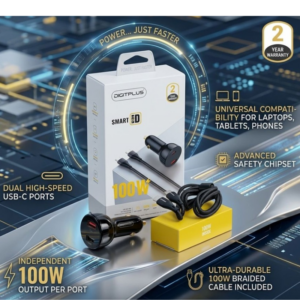
DigitPlus Car Charger 100w CC-DP-C101
BBurago Metal Car Ferrari 296 GTB Size 1.18 18-16018
وحدة تحكم PlayX DualSense اللاسلكية لجهاز PS5
سيارة معدنية BMW M4 مقاس 1.24
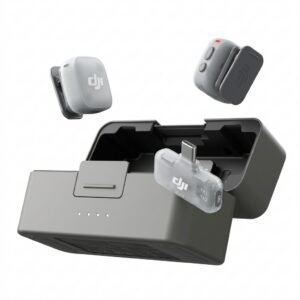
Dji Mini 2 Wireless Microphone DMMR02
Nintendo Switch Mario Kart Live Home Circuit
WRIST WATCH CK 102S BLOOD PRESSURE MONITOR
SONY PS4 UFC 4 GAME CD
طقم حلاقة الشعر من سلسلة 300 هوم برو 300 من وال
ميلوديكا ميلوديكا النحلة Bm 13k
NINTENDO SWITCH OLED MODEL HEG-001 HANDHELD 64GB CONSOLE - WHITE
سيارة معدنية من كليو-تي واي، تويوتا سوبرا، مقاس 1.32
APPLE IPAD Pro 12.9 Inch 4TH GEN SMART KEYBOARD FOLIO
BOYA WIRELESS MICROPHONE BY WM4 PRO
PROFESSIONAL STREAMING PLAYER STAND L1
TP Link HD 720P CLOUD CAMERA 300 Mbps WiFi NC 250
أقل سعر
الخدمة والإصلاح
أحدث

لا توجد مراجعات حتى الآن.