Here’s a step-by-step guide on how to set up and use the EZVIZ H3C Outdoor Wi-Fi Smart Home Camera:
1. **Unboxing**: Open the package containing the EZVIZ H3C Outdoor Wi-Fi Smart Home Camera and ensure all components are present. This typically includes the camera, mounting hardware, power adapter, and any additional accessories.
2. **Camera Placement**: Choose a suitable outdoor location to install the camera, ensuring it has a clear view of the area you want to monitor. Consider factors such as visibility, Wi-Fi signal strength, and power source accessibility.
3. **Mounting**: Use the included mounting hardware to securely attach the camera to the desired location. Make sure the mounting surface is stable and can support the weight of the camera.
4. **Power Connection**: Connect the power adapter to the camera and plug it into a power outlet. Ensure the power source is reliable and weatherproof to prevent any disruptions in camera operation.
5. **Wi-Fi Setup**: Download the EZVIZ app on your smartphone or tablet and create a new user account. Follow the in-app instructions to connect the camera to your Wi-Fi network. Make sure to choose the2.4GHz Wi-Fi network for optimal performance.
6. **Camera Activation**: Once the camera is connected to your Wi-Fi network, follow the app prompts to activate he camera and complete the setup process. This may involve scanning a QR code or entering a device-specific code.
7. **Live View**: Access the live video feed from the camera through the EZVIZ app on your mobile device. You can view the footage in real-time and adjust camera settings as needed.
8. **Customization**: Customize the camera settings according to your preferences, such as motion detection sensitivity, alert notifications, recording schedules, and more. This allows you to tailor the camera’s functionality to suit your specific security needs.
9. **Monitoring**: Monitor the camera feed regularly through the EZVIZ app to stay informed of any activity detected around your home. You can also review recorded footage stored on the camera’s memory card or cloud storage.
10. **Maintenance**: Periodically check the camera for any signs of damage, obstruction, or malfunction. Clean the lens and housing as needed to maintain clear and reliable video quality.
By following these steps, you can effectively set up and use the EZVIZ H3C Outdoor Wi-Fi Smart Home Camera to enhance your home security and monitor your outdoor space with ease.
منفاخ كهربائي لاسلكي من دينكس DX3338
مجموعة تنظيف كليو-إل شاين أرمور فورتيفاي
آلة حاسبة كاسيو MJ-120D بلس
مبخرة بخور محمولة من كليو-إل هونتون BK-208
كاميرا إنستا 360 ثنائية العدسات بدقة 8K مع مثبت جيمبال
INSTA 360 GO 3 Action Camera with code
REEON RN-312 Alarm Clock
Panasonic Am Pocket Radio R1105
Sony PS5 HD Camera
كاميرا Ezviz H8c 4G خارجية قابلة للتحريك والإمالة تعمل بتقنية الواي فاي
PANASONIC RF-P150DBA FM-AM 2 Band Receiver
Philips Battery CR2032
Ansmann Battery AAAA 1.5V
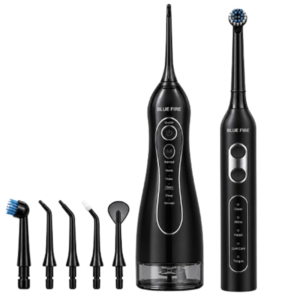
Blue Fire Hydroclean Oral Irrigator And Toothbrush BF-10
Panasonic Battery CR2025
MuRata Battery CR1220
سيارة معدنية NIO ES8 مقاس 1.24
Cleo-TY Children's Pinball Machine HT 9801
محاكي سباق السيارات المدمج PlayX RS1
فيلم زجاجي لعدسة كاميرا آي فون 11 برو المعدني من USAMS
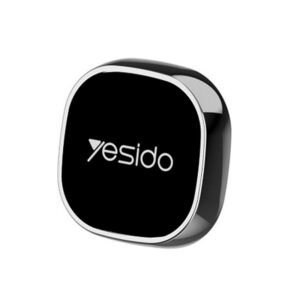
Yesido C 81 CAR HOLDER
Electrolux Iron Dry Iron EDI-1004 1300W
Sony PS5 DualSense Charging Station
Logitech M350 Pebble Mouse Rose
ثلاجة كلي أوسب
سيارة معدنية مرسيدس بنز SLS A2451 مقاس 1.24
XBOX ONE TOM CLANCY'S THE DIVISON 2 GAME CD
3713 ج موسيقى جيتار 3713 ج
ANKER NEBULA MARS 2PRO D2323211 PORTABLE PROJECTOR
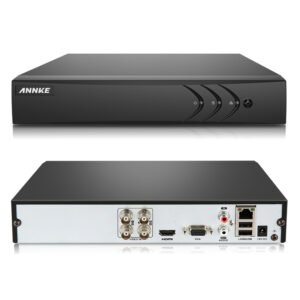
ANNKE DVR DN41R
أقل سعر
الخدمة والإصلاح
أحدث

لا توجد مراجعات حتى الآن.