
-
×
 APPLE IPAD Pro 12.9 Inch 4TH GEN SMART KEYBOARD FOLIO
1 × 94.900 OMR
APPLE IPAD Pro 12.9 Inch 4TH GEN SMART KEYBOARD FOLIO
1 × 94.900 OMR
المجموع: 94.900 OMR
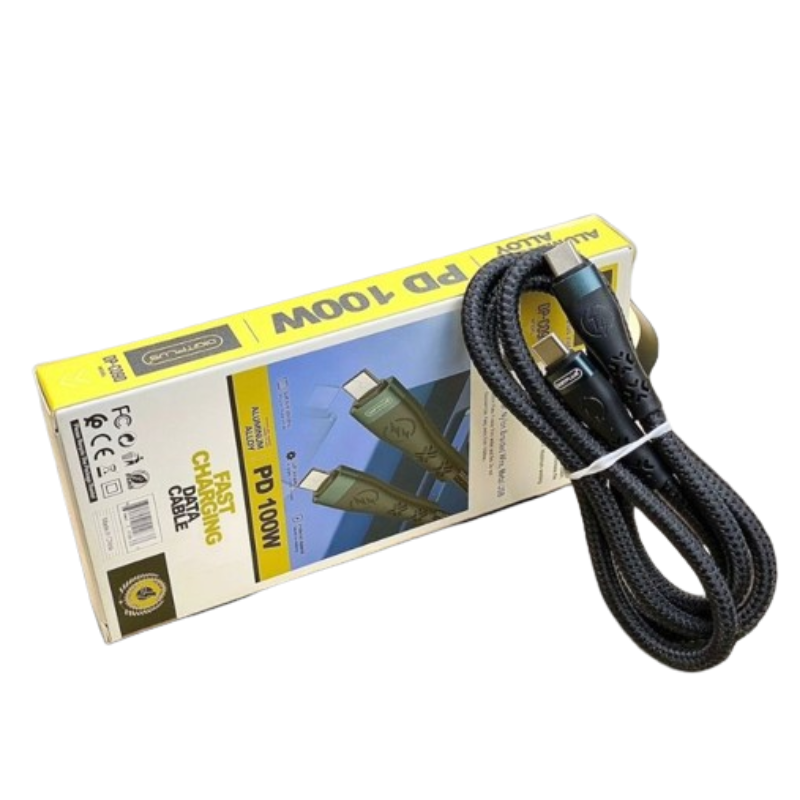
SKU: DigitPlus DP-C090 PD100W USB-C to USB-C DATA CABLE
متوفر في المخزون
The DigitPlus DP-C090 PD100W USB-C to USB-C DATA CABLE is a high-quality, durable cable designed for fast data transfer and power delivery. With its USB-C connectors on both ends, it supports Power Delivery up to 100W, making it ideal for charging laptops, tablets, smartphones, and other USB-C devices quickly and efficiently. Additionally, it enables rapid data syncing between compatible devices, ensuring seamless connectivity for all your digital needs. Built to withstand daily use, this cable offers reliability and convenience for users seeking reliable charging and data transfer solutions.
3.500 OMR
متوفر في المخزون
1. **Identify Devices**: Ensure that both devices you wish to connect using the DP-C090 cable have USB-C ports and support data transfer and power delivery via USB-C.
2. **Plug In One End**: Connect one end of the DP-C090 cable to the USB-C port of the device you want to charge or sync data from. The cable is reversible, so it can be inserted into the port in either orientation.
3. **Connect the Other End**: Plug the other end of the cable into the USB-C port of the device you want to charge or sync data with. Again, the reversible design makes it easy to insert the cable correctly.
4. **Initiate Data Transfer (if applicable)**: If you’re using the cable for data transfer, ensure that both devices recognize each other and are configured to transfer data. You may need to select the appropriate settings on each device to enable data transfer via USB-C.
5. **Monitor Charging (if applicable)**: If you’re using the cable for charging, monitor the charging process to ensure that power delivery is functioning correctly. The DP-C090 cable supports Power Delivery up to 100W, allowing for fast and efficient charging of compatible devices.
 أقل سعر
 الخدمة والإصلاح

 أحدث
أحدث

لا توجد مراجعات حتى الآن.