
 أقل سعر
 الخدمة والإصلاح

 أحدث
أحدث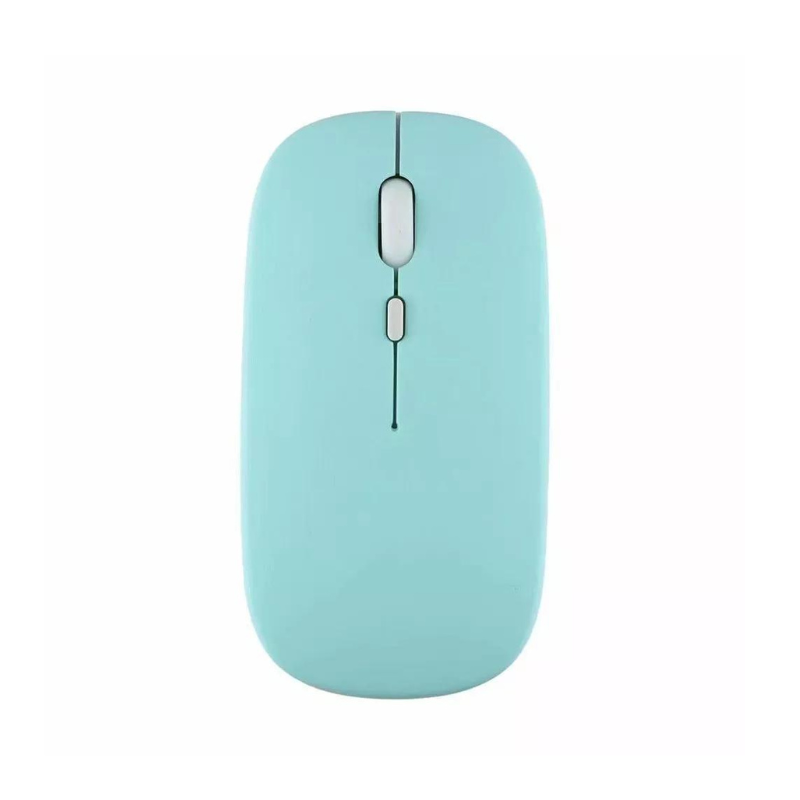
CPT WIRELESS MOUSE 2.4 GHZ
SKU: CPT WIRELESS MOUSE 2.4 GHZ
متوفر في المخزون
The CPT Wireless Mouse operates on a 2.4 GHz frequency, offering reliable, interference-free connectivity for smooth and responsive cursor control. Its ergonomic design ensures comfort during extended use, while the wireless feature provides freedom from tangled cables. Ideal for both work and casual use, this mouse features easy plug-and-play setup with its compact USB receiver and efficient battery life.
1.500 OMR
متوفر في المخزون
1. **Insert USB Receiver**: Plug the included 2.4 GHz USB receiver into an available USB port on your computer.
2. **Power On Mouse**: Turn on the wireless mouse using the power switch, typically located on the bottom.
3. **Establish Connection**: The mouse will automatically pair with the USB receiver, establishing a wireless connection without needing additional drivers.
4. **Adjust Settings**: Customize mouse settings such as sensitivity or button functions through your computer’s control panel or settings menu if desired.
5. **Start Using**: Begin using the mouse for navigation, clicking, and scrolling with smooth and responsive performance.
ماركة
CPT
استنادا إلى 0 من المراجعات
Be the first to review “CPT WIRELESS MOUSE 2.4 GHZ”
منتجات ذات صلة
-
-
Wired Headphones, إكسسوارات الكمبيوتر, سماعات الرأس
Logitech H390 USB STEREO HEADSET Black
“TECHNICAL SPECIFICATIONS
Input Impedance: 32 Ohms
Sensitivity (headphone): 94dBV/Pa +/- 3 dB
Sensitivity (microphone): -17 dBV/Pa +/- 4 dB
Frequency response (Headset): 20 Hz – 20 kHz
Frequency response (Microphone): 100 Hz -10 kHz
Cable length: 7.64 ft (2.33m )
Connections: USB-A compatible (1.1, 2.0, 3.0)
SYSTEM REQUIREMENTS
Works with Common calling applications across almost all platforms and operating systems.
Windows® or macOS®
Chrome OS™
USB port (Type A port or adapter)
DIMENSIONS
Height x Width x Depth:
7.87 in (200 mm) x 9.65 in (245 mm) x 2.83 in (72 mm)
Weight: 6.9 oz (0.197 Kg)”
SKU: 020211000001


لا توجد مراجعات حتى الآن.