
-
×
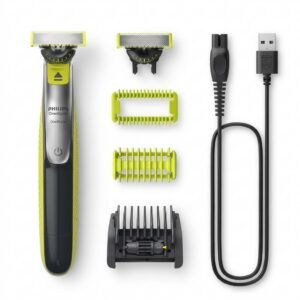 Philips Norelco Oneblade Shaver QP2834/70
2 × 25.900 OMR
-
×
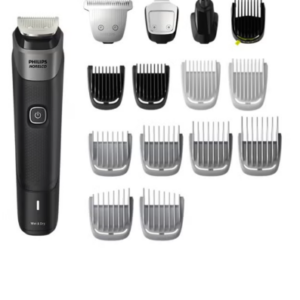 Philips 5000 Series Norelco All In One Trimmer MG5910/49
3 × 24.900 OMR
-
×
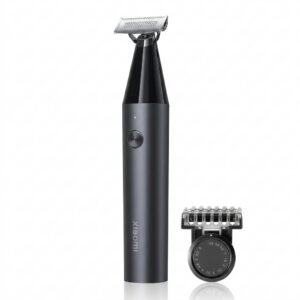 Xiaomi UniBlade Trimmer X300
1 × 9.900 OMR
-
×
 ميلوديكا ميلوديكا النحلة Bm 13k
1 × 5.900 OMR
-
×
 BBT HAIR CLIPPER RFCD 9008
1 × 5.900 OMR
-
×
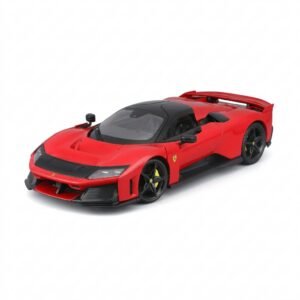 BBurago Metal Car Ferrari F80 Size 1.18 18-16022
2 × 42.900 OMR
-
×
 ANKER NEBULA MARS 2PRO D2323211 PORTABLE PROJECTOR
1 × 199.800 OMR
-
×
 سي دي لعبة توني هوك برو سكيتر 2+1 لبلاستيشن 4
1 × 13.900 OMR
-
×
 CANON PIXMA 510 BLACK CARTRIDGE
1 × 8.000 OMR
-
×
 BOYA BY WM8 PRO K2 UHF DUAL CHANNEL WIRELESS MICROPHONE
2 × 76.800 OMR
-
×
 BIBA Flute Deluxe
1 × 6.500 OMR
-
×
 ميكروفون كاندك DC C9 كارديويد ميكروفون
1 × 3.500 OMR
-
×
 BK-20 OUD OIL BUKHOOR BURNER
1 × 6.400 OMR
-
×
 PROFESSIONAL STREAMING PLAYER STAND L1
1 × 13.900 OMR
-
×
 BBurago Metal Car Ferrari 499P Size 1.18
2 × 42.900 OMR
-
×
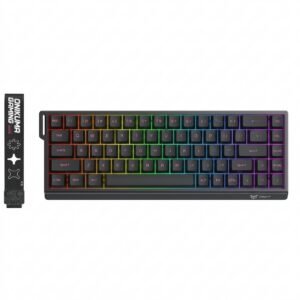 Onikuma Gaming Keyboard MT603
1 × 12.900 OMR
-
×
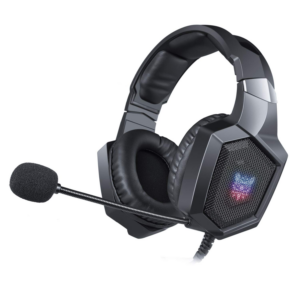 Onikuma Professional Gaming Headset K8
1 × 6.900 OMR
-
×
 HOCO X92 USB-C to USB-C 60w SILICON Data Cable - 3mtr
1 × 4.900 OMR
-
×
 TOA PC1860 CEILING SPEAKER
1 × 15.000 OMR
-
×
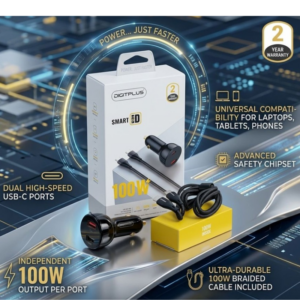 DigitPlus Car Charger 100w CC-DP-C101
1 × 8.900 OMR
-
×
 SAMSUNG USB C TO USB C DATA CABLE ORG. - 1.8Mtr
1 × 5.500 OMR
-
×
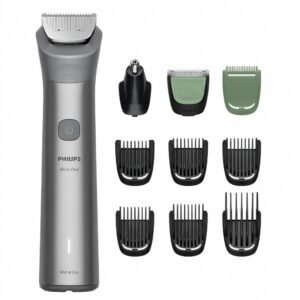 Philips 5000 Series All In One Trimmer 10 In 1 MG5922/15
1 × 15.900 OMR
-
×
 BEHRINGER EP-2000 1500W POWER AMPLIFIER
1 × 185.000 OMR
-
×
 DB OPERA 12 600w POWERED SPEAKER
1 × 187.900 OMR
-
×
 CLE JC-08 Wireless Selfie Stick
1 × 3.900 OMR
-
×
 TOVASTE TUH 3500HH UHF Wireless Microphone System
1 × 45.000 OMR
-
×
 BOYA LARGER DIAPHRAGM CONDENSER MICROPHONE BY M1000
1 × 38.800 OMR
-
×
 مشبك إنسبير فيتبيت اف بي 169 سي اسود
1 × 7.900 OMR
-
×
 PRO 920-1500MM Microphone Stand
1 × 9.800 OMR
-
×
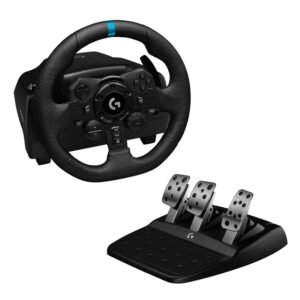 Logitech G923 Racing Wheel & Pedals
1 × 116.800 OMR
-
×
 فيلم زجاجي لعدسة كاميرا آي فون 11 برو المعدني من USAMS
1 × 1.900 OMR
المجموع: 1,392.400 OMR
 أقل سعر
 الخدمة والإصلاح


 أحدث
لا توجد مراجعات حتى الآن.