
-
×
 BIBA Flute Deluxe
1 × 6.500 OMR
BIBA Flute Deluxe
1 × 6.500 OMR -
×
 شاحن كمبيوتر محمول Dell 19 فولت من الفئة A بدون كابل طاقة
1 × 15.000 OMR
شاحن كمبيوتر محمول Dell 19 فولت من الفئة A بدون كابل طاقة
1 × 15.000 OMR
المجموع: 21.500 OMR
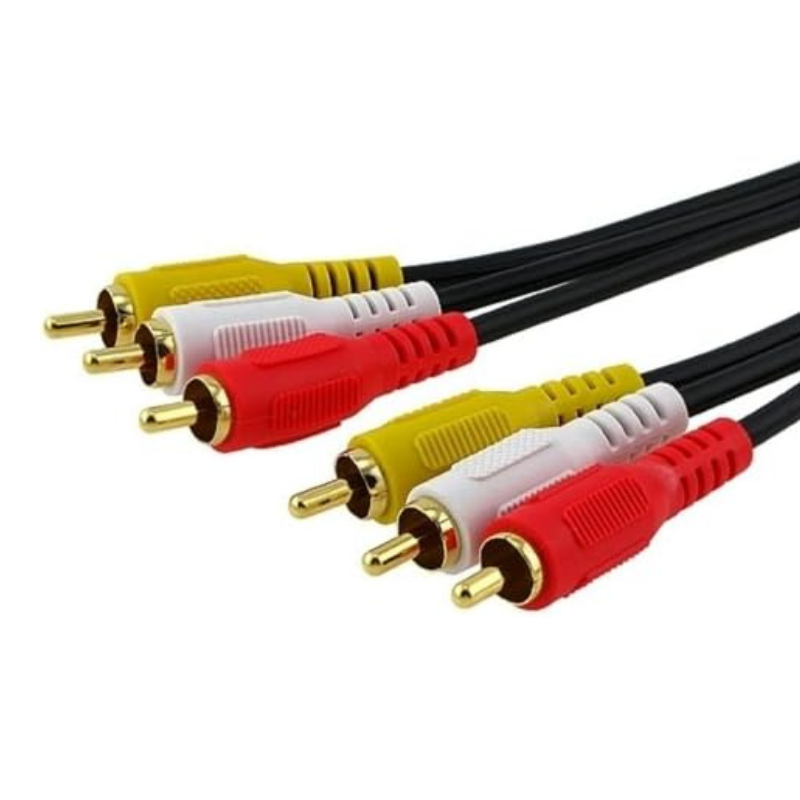
SKU: Cable 3rca to 3rca 1.5 M
متوفر في المخزون
The 3RCA to 3RCA Cable, 1.5 meters long, facilitates the connection of audio and video equipment using RCA connectors. Ideal for linking devices such as TVs, DVD players, and audio receivers, it ensures a clear signal transmission for both composite video and stereo audio. The cable’s length offers flexibility in placement, while its durable construction ensures reliable performance.
1.500 OMR
متوفر في المخزون
1. **Identify Connectors**: Locate the 3 RCA ports on each device you wish to connect, typically color-coded as yellow (video), red (right audio), and white (left audio).
2. **Plug in Cable**: Connect the 3 RCA plugs on one end of the cable into the corresponding RCA ports on the first device.
3. **Connect to Second Device**: Attach the other end of the cable to the RCA ports on the second device, matching the color-coded plugs with the ports.
4. **Secure Connections**: Ensure all connections are firmly in place to prevent signal loss or interference.
5. **Test Signal**: Power on both devices and verify that the video and audio signals are correctly transmitted and functioning as expected.
– Brand: ONTEN.
– High Quality Material.
– Plug & Play: No driver, apps needed, convenient use and carrying.
– Charging Function: USB male connector can charge your new phones.
– Wide Compatibility.
– 4K Output: Use the USB-C to HDMI Cable connect to a 4K
 أقل سعر
 الخدمة والإصلاح

 أحدث
أحدث
لا توجد مراجعات حتى الآن.