1. **Pairing with Device:** Activate Bluetooth on your device (smartphone, tablet, etc.). Remove the earbuds from the charging case. They will automatically enter pairing mode. Select “ANKER A3873H11” from the list of available Bluetooth devices on your device’s settings menu to establish a connection.
2. **Inserting Earbuds:** Insert the earbuds into your ears, ensuring a snug and comfortable fit. Adjust the ear tips or ear wings if necessary to achieve the best seal for optimal sound quality and stability during wear.
3. **Controls:** Familiarize yourself with the earbuds’ controls. Typically, tapping or pressing on the earbuds allows you to play/pause music, skip tracks, adjust volume, and answer/end calls. Refer to the user manual for specific instructions on how to use the controls.
4. **Audio Playback:** Once paired and inserted, play your desired audio content on your device. The ANKER A3873H11 Soundcore V30i True Wireless Earbuds deliver high-quality sound with deep bass and clear highs, enhancing your listening experience whether you’re listening to music, podcasts, or making calls.
5. **Charging and Storage:** After use, place the earbuds back into the charging case to recharge them. Ensure that the charging contacts on the earbuds align with those in the case. Close the lid of the charging case to initiate charging. The charging case also serves as a convenient and portable storage solution for the earbuds when not in use.
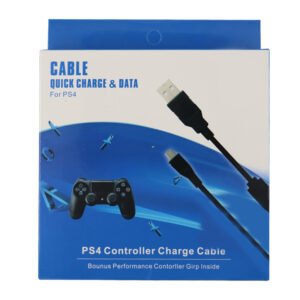
USB DATA CABLE PS4
Sandisk Flash Drive i-xpand Dual Luxe 64GB Type-C to Lightning
BOYA BY WM8 PRO K2 UHF DUAL CHANNEL WIRELESS MICROPHONE
كابل بيانات Digitplus DP-C105L من USB-C إلى Lightning، 30 واط، 2 متر
LUCKY STAR CG-202EQ ACOUSTIC GUITAR
ITC T 200B 15W PENDANT SPEAKER
SONY PS5 Spider Man Marvel Miles Morales Eng. Game CD
NEWSTAR 91 LCDS03 13" 21" TABLETOP
أقل سعر
الخدمة والإصلاح
أحدث

لا توجد مراجعات حتى الآن.
