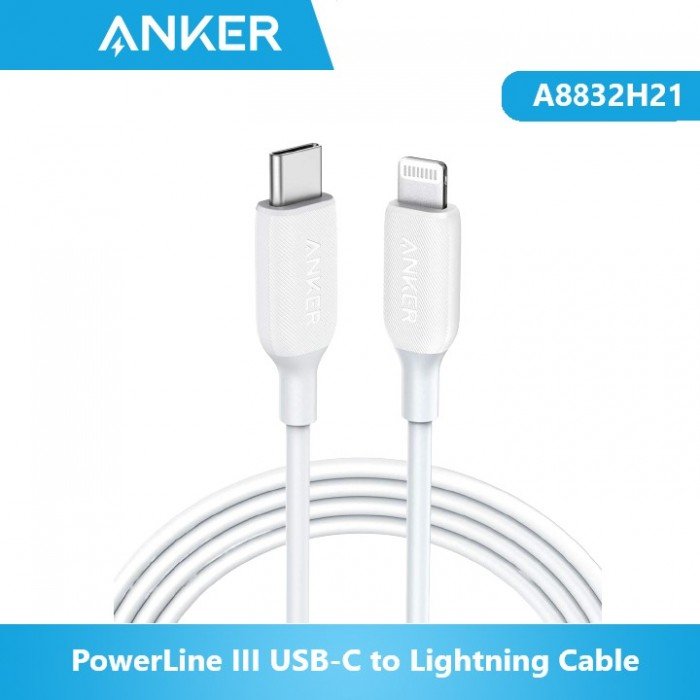
1. **Identify Connectors**:
– Familiarize yourself with the USB-C and Lightning connectors on the cable.
– The USB-C end connects to your power source or computer, while the Lightning end connects to your iPhone, iPad, or iPod.
2. **Connect USB-C End**:
– Plug the USB-C connector into a USB-C port on your power adapter, power bank, or computer.
3. **Connect Lightning End**:
– Plug the Lightning connector into the Lightning port on your iPhone, iPad, or iPod securely until it clicks into place.
4. **Power On**:
– Ensure that the power source is turned on if you’re charging your device.
– If you’re transferring data, make sure your device is unlocked and recognized by the computer.
5. **Charging or Data Transfer**:
– If you’re charging your device, it should start charging automatically once connected.
– For data transfer, follow the prompts on your device and computer to initiate the process.
سماعة الألعاب اللاسلكية JBL Quantum 650 باللون الأسود
سي دي لعبة دووم بلايستيشن 4
Xtrike Me Wired Gaming Headphone HP-312
AHUJA G611S GOOSENECK MICRO PHONE ADAPTOR
BOYA LARGER DIAPHRAGM CONDENSER MICROPHONE BY M1000
Yamaha Psr Sx920 Keyboard
سي دي لعبة فينال فانتازي في اي اي لبلاستيشن 4
PROFESSIONAL STREAMING PLAYER STAND L1
أقل سعر
الخدمة والإصلاح
أحدث
لا توجد مراجعات حتى الآن.