
-
×
 PROFESSIONAL STREAMING PLAYER STAND L1
1 × 13.900 OMR
PROFESSIONAL STREAMING PLAYER STAND L1
1 × 13.900 OMR
المجموع: 13.900 OMR
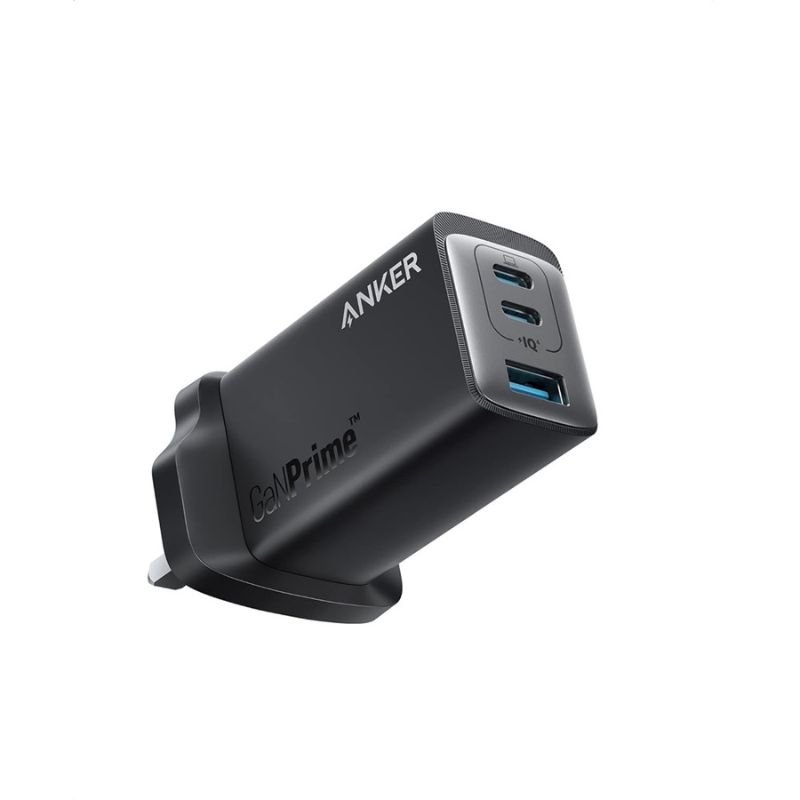
SKU: ANKER A2668211 GAN Prime 65W (Series7) 735 CHARGER
غير متوفر في المخزون
The ANKER A2668211 GAN Prime 65W (Series7) 735 Charger is a compact and powerful charging solution. Utilizing Gallium Nitride (GAN) technology, it delivers up to 65W of power, allowing for fast charging of smartphones, tablets, laptops, and other USB-C devices. With its slim design and foldable prongs, it’s convenient for travel or everyday use. Equipped with multiple ports, including USB-C and USB-A, it offers versatility for charging multiple devices simultaneously. The ANKER A2668211 provides efficient and reliable charging performance, making it an essential accessory for anyone on the go.
غير متوفر في المخزون
1. **Plug in the Charger**:
– Locate a power outlet or socket.
– Insert the charger’s prongs into the outlet securely.
2. **Connect Your Devices**:
– Identify the appropriate port for your device’s charging cable.
– Plug one end of your device’s USB-C or USB-A charging cable into the corresponding port on the charger.
3. **Connect to Your Device**:
– Connect the other end of your device’s charging cable to your smartphone, tablet, laptop, or other USB-C or USB-A compatible device.
4. **Power On**:
– Once your devices are connected, the charger will automatically begin supplying power.
– If your device supports fast charging, it will charge at the maximum supported rate provided by the charger.
5. **Charging Complete and Disconnect**:
– When your device is fully charged or you no longer need to charge, disconnect the charging cable from your device first.
– Then, unplug the charger from the power outlet or socket and store it safely for future use.
 أقل سعر
 الخدمة والإصلاح

 أحدث
أحدث
لا توجد مراجعات حتى الآن.