
 أقل سعر
 الخدمة والإصلاح

 أحدث
أحدث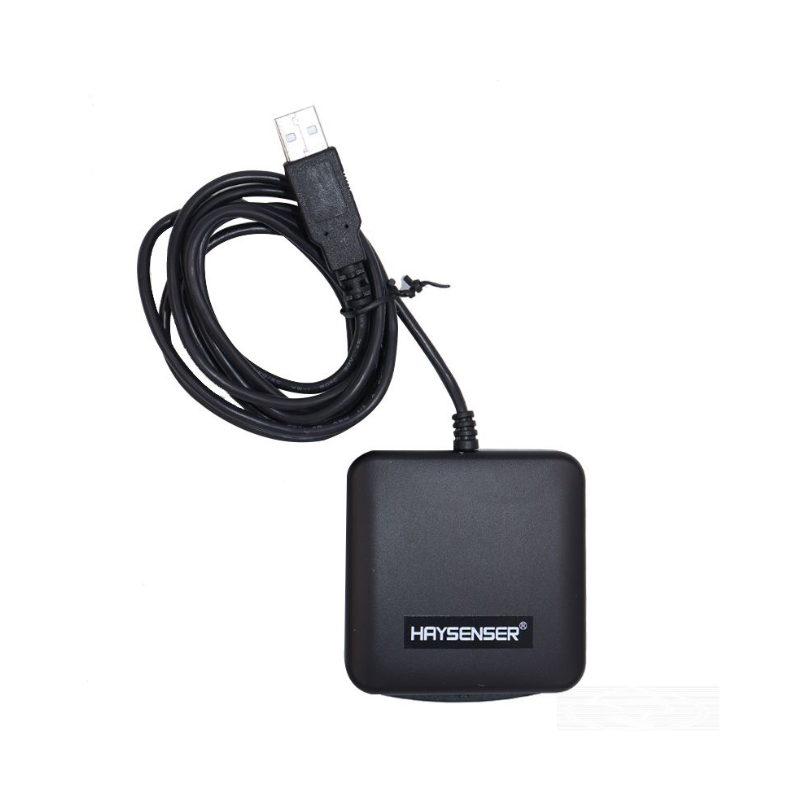
HAYSENSER HY-C09U1 SMART CARD READER
SKU: 020309000012
متوفر في المخزون
The Haysenser HY-C09U1 Smart Card Reader offers a reliable and efficient solution for accessing secure systems and performing transactions. Designed with a compact and user-friendly interface, it supports various smart card types and integrates seamlessly with most computers via USB. Its high-performance capabilities ensure quick and accurate card reading, making it ideal for secure authentication, financial transactions, and access control applications.
10.900 OMR
متوفر في المخزون
1. **Connect to Computer**: Plug the Haysenser HY-C09U1 Smart Card Reader into an available USB port on your computer.
2. **Install Drivers**: If necessary, install any drivers or software provided with the card reader, following the on-screen instructions for a seamless setup.
3. **Insert Smart Card**: Gently insert your smart card into the reader, ensuring it is properly aligned with the card slot for accurate reading.
4. **Authenticate or Access**: Use the card reader to perform secure authentication, financial transactions, or access control, depending on your application.
5. **Eject and Disconnect**: Once you’ve completed your task, carefully remove the smart card from the reader and unplug the device from the USB port if not in use.
ماركة
HAYSENSER
استنادا إلى 0 من المراجعات
Be the first to review “HAYSENSER HY-C09U1 SMART CARD READER”
منتجات ذات صلة
-
Cleopatra Flash Sale, الكترونيات
حامل الشحن DOBE PS4 TP4 TP4 023B
تصميم الكل في واحد: حامل عمودي لوحدة التحكم في الألعاب + مراوح تبريد + محطة شحن وحدة التحكم + منافذ USB.
حامل عمودي: تصميم موفر للمساحة مصمم حصريًا لجهاز PlayStation 4، يحافظ على وحدة التحكم الخاصة بك لاستخدامها بثبات في وضع عمودي.
2 منفذ شحن لوحدة التحكم: اشحن وحدتي تحكم في الألعاب في وقت واحد، مما يوفر وقتك عندما تحتاج إلى شحن وحدات التحكم.
مروحة تبريد مزدوجة: حافظ على برودة جهاز PS4 الخاص بك مع نظام التبريد وأطِل عمر وحدة التحكم في PS4.
SKU: DOBE PS4 TP4 023B Charging STAND

لا توجد مراجعات حتى الآن.