
 New Arrivals
 Offers
 Service & Repair

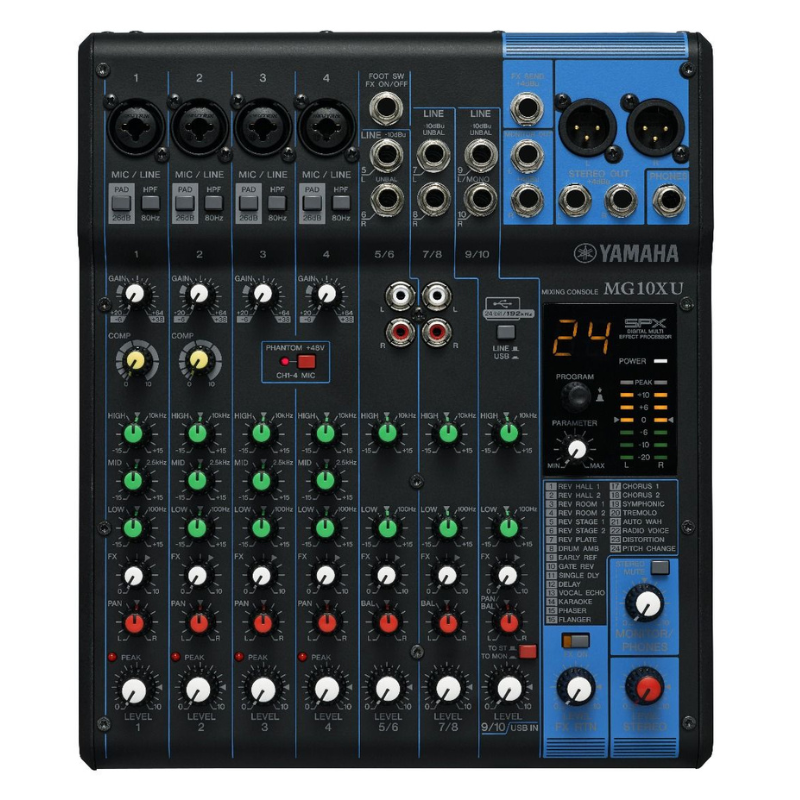
Yamaha Mg 10xu Audio Mixer, 10ch 4buds Eq Effects Usb
SKU: 1402000068
In stock
The Yamaha MG10XU is a versatile audio mixer featuring 10 channels with 4 microphone inputs equipped with D-PRE preamps for clear and natural sound. It includes built-in SPX digital effects, 3-band EQ on all channels, and USB connectivity for easy recording and playback from a computer or mobile device. Compact yet powerful, it’s ideal for small to medium-sized live performances, recordings, and multimedia applications.
119.000 OMR
In stock
1. **Setup**: Connect your microphones, instruments, and speakers to the Yamaha MG10XU using appropriate cables. Ensure the mixer is plugged into a power source.
2. **Channel Settings**: Adjust each channel’s input level using the gain knobs. Use the 3-band EQ (Bass, Mid, Treble) to tailor the sound of each channel to your preference.
3. **Effects**: Explore the built-in SPX digital effects by selecting a channel and adjusting the effect send levels. Experiment with reverb, delay, chorus, and other effects to enhance your audio.
4. **USB Connectivity**: Connect the mixer to your computer via USB to utilize its 24-bit/192kHz audio interface capabilities. This allows for recording directly to your computer and playback of audio from your DAW (Digital Audio Workstation).
5. **Monitoring and Output**: Use the headphone output for monitoring your mix in real-time. Adjust the main output level to send the mixed audio to your speakers or recording device. Ensure all connections are secure and levels are balanced for optimal sound quality.

There are no reviews yet.