
 New Arrivals
 Offers
 Service & Repair

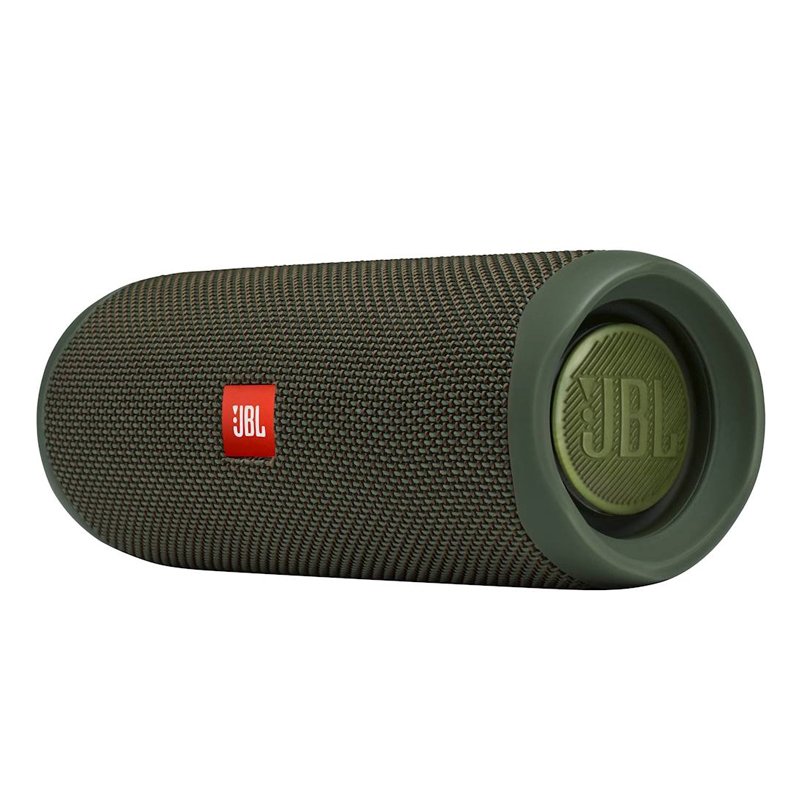
JBL FLIP 5 GREEN BLUETOOTH SPEAKER
SKU: JBL FLIP 5 GREEN BLUETOOTH SPEAKER
Out of stock
The JBL Flip 5 Green Bluetooth Speaker delivers powerful sound in a compact, portable design. With Bluetooth connectivity, it wirelessly pairs with your devices for music playback. Its rugged construction and waterproof design make it suitable for outdoor use. The long-lasting battery ensures extended playtime, while its vibrant green color adds a touch of style to any setting.
Out of stock
1. **Power On/Off**: Press and hold the power button on the JBL Flip 5 Green Bluetooth Speaker to turn it on. To power it off, press and hold the same button until the speaker shuts down.
2. **Bluetooth Pairing**: Activate Bluetooth on your smartphone, tablet, or other compatible device. Press the Bluetooth pairing button on the speaker to enter pairing mode. Then, select “JBL Flip 5” from the list of available Bluetooth devices on your device to establish a connection.
3. **Play Music**: Once paired, play your favorite music or audio on your device. The sound will be wirelessly streamed to the JBL Flip 5 Green Bluetooth Speaker, providing you with high-quality audio playback.
4. **Volume Control**: Use the volume buttons on the speaker to adjust the volume to your desired level. Press the “+” button to increase the volume and the “-” button to decrease it.
5. **Charging**: When the battery is low, connect the included USB-C charging cable to the charging port on the speaker and plug the other end into a power source. The LED indicator on the speaker will illuminate to indicate charging status. Once fully charged, disconnect the cable for wireless use.


There are no reviews yet.