
 New Arrivals
 Offers
 Service & Repair


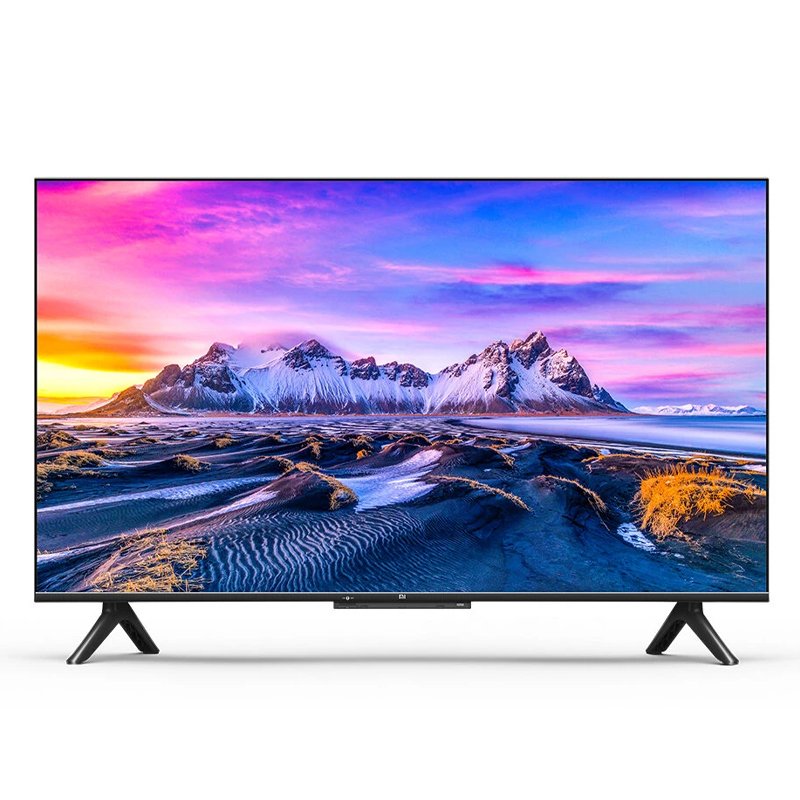
XIAOMI MI TV 43inch P-SERIES L43M6-6AEU LED TELEVISION
SKU: 43inch P-SERIES L43M6-6AEU LED TELEVISION
Out of stock
The XIAOMI MI TV 43-inch P-Series L43M6-6AEU LED Television offers an immersive viewing experience with its 43-inch display. Featuring stunning visuals and vibrant colors, this LED television delivers sharp and clear images for an enhanced entertainment experience. With its sleek design and smart features, including built-in Wi-Fi and access to popular streaming apps, it seamlessly integrates into any home entertainment setup. Enjoy your favorite movies, TV shows, and online content on the XIAOMI MI TV 43-inch P-Series LED Television.
Out of stock
1. **Unboxing and Setup**: Carefully unbox the XIAOMI MI TV 43-inch P-Series L43M6-6AEU LED Television, ensuring all components, including the remote control and power cord, are present. Place the TV on a stable surface and remove any packaging materials.
2. **Power On and Initial Setup**: Plug in the power cord and turn on the TV using the power button or remote control. Follow the on-screen instructions to complete the initial setup process, including selecting your language, connecting to Wi-Fi, and scanning for available channels.
3. **Connect External Devices**: Utilize the available HDMI, USB, and other ports on the TV to connect external devices such as a cable or satellite box, gaming console, or streaming device. Ensure all connections are secure and properly configured.
4. **Explore Smart Features**: Familiarize yourself with the smart features of the XIAOMI MI TV, including access to streaming apps, internet browsing, and screen mirroring capabilities. Navigate through the user interface using the remote control to discover and enjoy your favorite content.
5. **Adjust Settings and Enjoy**: Customize the TV settings according to your preferences, including picture and sound settings, network preferences, and parental controls. Sit back, relax, and enjoy an immersive viewing experience on the XIAOMI MI TV 43-inch P-Series LED Television.
Brand
Xiaomi
Based on 0 reviews
Be the first to review “XIAOMI MI TV 43inch P-SERIES L43M6-6AEU LED TELEVISION”
Related products
-
Electronics
DOBE PS4 TP4 016 Mobile Phone CLAMP
– GAMERS’ GOOD NEWS: Say goodbye to the painful control on your smart phone.
– LARGE CAPACITY:Maximum support of 6-inch mobile phone.
– 2 in 1 holder: With an OTG cable you can enjoy your game with PS4 controller and it can be a smart mount itself.
– RSKU: 06010501000028


There are no reviews yet.