
 New Arrivals
 Offers
 Service & Repair

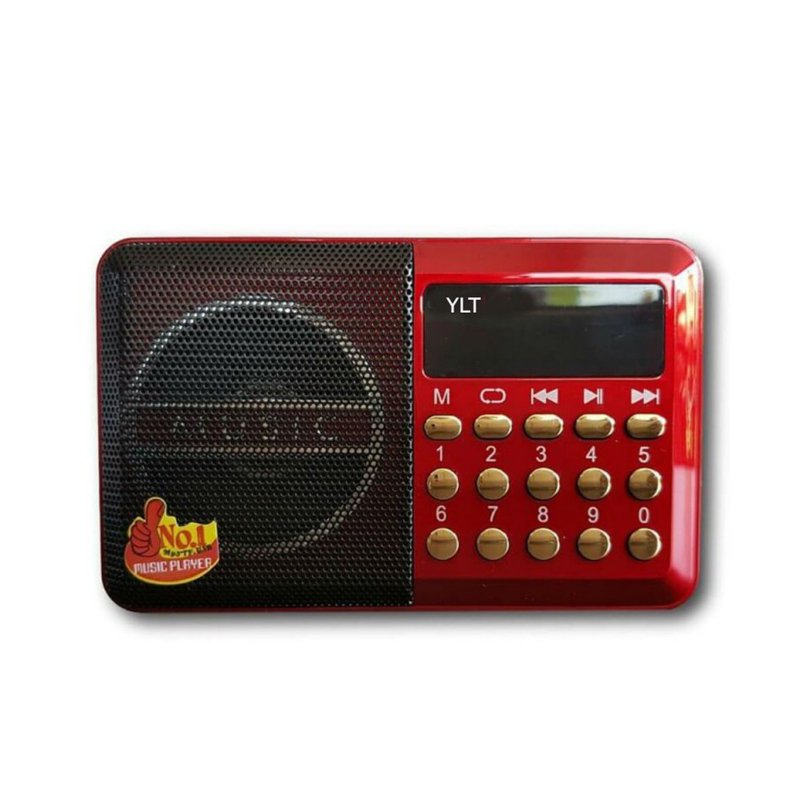
YLT-02FMSY DIGITAL SELECTS MUSIC PLAYER/FM RADIO
SKU: YLT-02
In stock
Portable Radio
Strong FM Connections
Antenna
Easy to use
4.200 OMR
In stock
1. **Power On and Source Selection**: Begin by powering on the YLT-02FMSY Digital Selects Music Player/FM Radio using the designated power button or switch. Once powered on, select the desired playback source—whether it’s music player mode or FM radio mode—using the mode selector button or switch.
2. **Music Playback**: If opting for music player mode, navigate through your stored music files using the control buttons or dial. Select the desired track or playlist to begin playback. Adjust the volume level using the volume control buttons or knob to your preferred listening level.
3. **FM Radio Tuning**: To listen to FM radio stations, switch to FM radio mode on the YLT-02FMSY. Use the tuning dial or buttons to scan through available frequencies and find clear stations. Once tuned in, adjust the volume to your preferred level using the volume control.
4. **Digital Selects Feature**: Explore the digital selects feature, which may include preset channels or favorite playlists for quick access to your preferred content. Use the designated buttons or controls to navigate through the digital selects and choose the desired option.
5. **Enjoyment and Portability**: With its compact design and versatile playback options, the YLT-02FMSY Digital Selects Music Player/FM Radio is perfect for enjoying music and radio programs at home, in the office, or on the go. Whether you prefer music playback or listening to FM radio stations, this device provides convenient entertainment wherever you are.
Following these steps will allow you to set up and enjoy the YLT-02FMSY Digital Selects Music Player/FM Radio with ease.

There are no reviews yet.