
-
×
 أبل آيباد أبل 11 2020 - 12.9 بوصة - 256 جيجابايت
1 × 470.000 OMR
أبل آيباد أبل 11 2020 - 12.9 بوصة - 256 جيجابايت
1 × 470.000 OMR
المجموع: 470.000 OMR
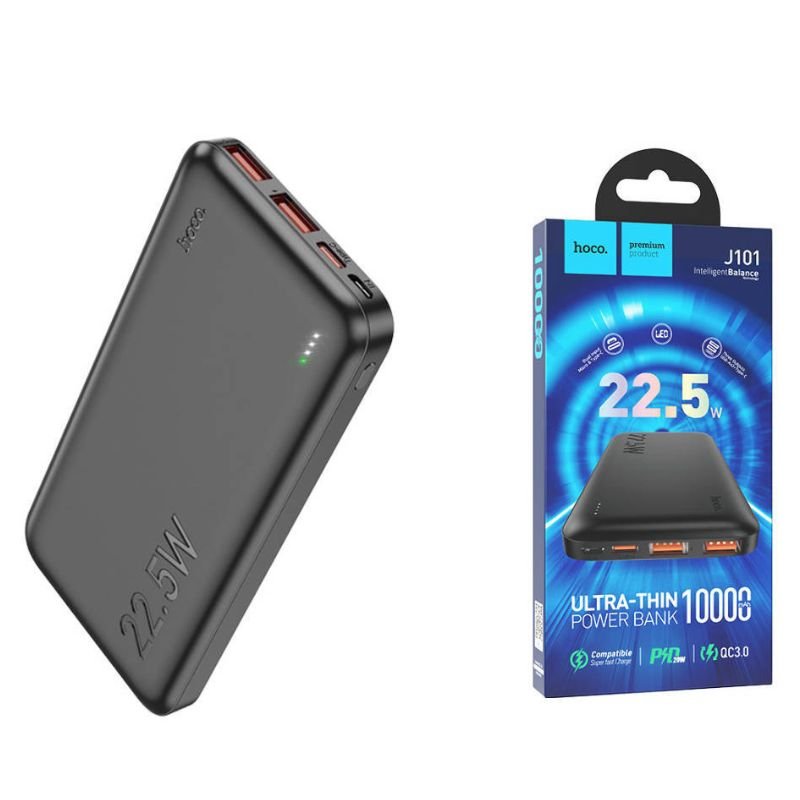
SKU: HOCO J100 Ultra-tin 10000mAh PD power bank
متوفر في المخزون
The HOCO J100 Ultra-thin 10000mAh PD Power Bank is a sleek and powerful portable charger designed to keep your devices powered up on the go. With its ultra-thin design, it’s easy to slip into your pocket or bag for convenient portability. Featuring a high-capacity 10000mAh battery and PD (Power Delivery) technology, it can charge your devices rapidly, including smartphones, tablets, and more. The power bank also offers multiple charging ports, allowing you to charge multiple devices simultaneously. Whether you’re traveling, commuting, or out and about, the HOCO J100 Power Bank ensures you stay connected wherever you are.
5.900 OMR
متوفر في المخزون
1. **Charging the Power Bank**: Begin by charging the HOCO J100 Power Bank using a compatible charging cable and adapter. Connect the charging cable to the input port of the power bank, and then plug the other end into a power source, such as a wall outlet or a USB port on your computer. The LED indicator lights on the power bank will illuminate to indicate that it’s charging. Allow the power bank to charge fully until all LED indicators turn off or show a solid light.
2. **Checking the Power Level**: Once the power bank is fully charged, press the power button to check the remaining power level. The LED indicator lights will indicate the remaining battery capacity. This step ensures that you know how much power is available before using the power bank to charge your devices.
3. **Connecting Your Device**: Use a compatible charging cable to connect your device to the power bank. For devices that support PD (Power Delivery) charging, use a USB-C to USB-C cable for optimal charging speed. For devices that use standard USB-A charging, use a USB-A to USB-C or USB-A to Lightning cable, depending on the device’s port.
4. **Initiating Charging**: Once your device is connected to the power bank, the charging process will begin automatically. Some power banks may require you to press the power button to initiate charging. Ensure that the charging cable is securely connected to both the power bank and your device to maintain a stable connection during charging.
5. **Monitoring Charging Progress**: While your device is charging, you can monitor the charging progress by checking the battery indicator on your device’s screen. Additionally, you can periodically check the LED indicator lights on the power bank to see if any of them turn off, indicating that the power bank’s battery is being depleted.
 أقل سعر
 الخدمة والإصلاح


لا توجد مراجعات حتى الآن.