
 أقل سعر
 الخدمة والإصلاح


 أحدث
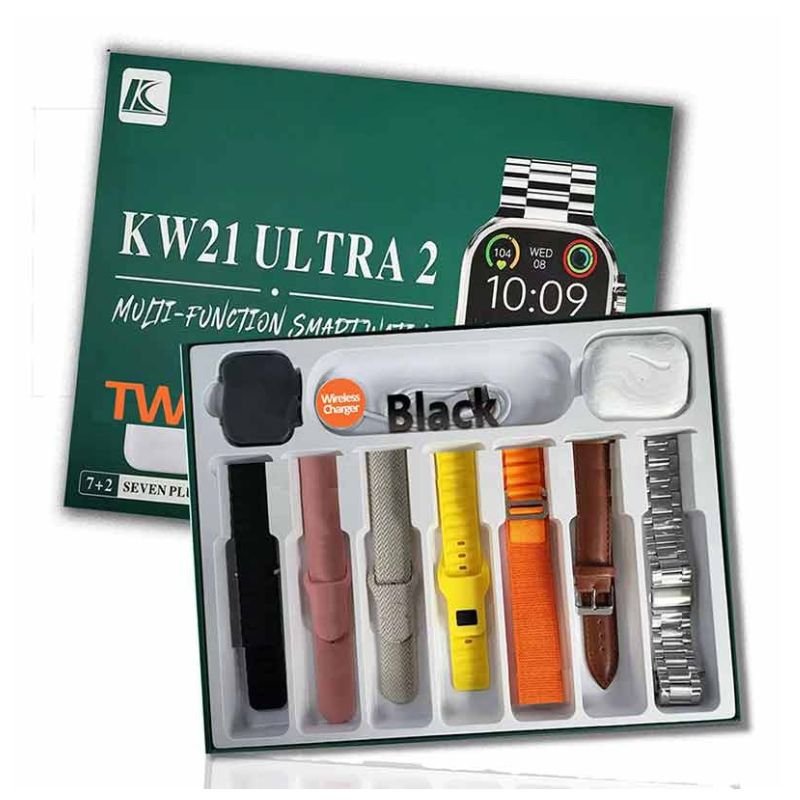
CPT KW21 ULTRA-2 Multifunction Smart WATCH
SKU: CPT KW21 ULTRA-2 Multifunction Smart WATCH
غير متوفر في المخزون
The CPT KW21 ULTRA-2 Multifunction Smart Watch is a versatile and innovative wearable device that seamlessly integrates into your daily life. With its sleek design and multifunctional capabilities, it offers a blend of style and functionality. Stay connected with notifications for calls, messages, and social media alerts, all conveniently displayed on its vibrant touchscreen display. Track your fitness progress with built-in activity tracking features, including step counting and calorie monitoring. Additionally, enjoy added conveniences like music control and remote camera shutter functionality. With its long-lasting battery life and customizable watch faces, the CPT KW21 ULTRA-2 Smart Watch is the perfect companion for staying organized and motivated throughout your day.
غير متوفر في المخزون
1. **Unboxing and Initial Setup**:
– Unbox the CPT KW21 ULTRA-2 Multifunction Smart Watch and ensure all included accessories are accounted for.
– Power on the smartwatch by pressing and holding the designated power button until the screen illuminates.
– Follow the on-screen prompts to choose your preferred language, set up connectivity with your smartphone via Bluetooth, and complete the initial setup process using the accompanying app.
2. **Customize Settings and Watch Face**:
– Explore the settings menu on the watch or within the companion app to customize various features such as display brightness, notification preferences, and activity tracking settings.
– Personalize your smartwatch experience by selecting a watch face from the available options, allowing you to tailor the device to your unique style and preferences.
3. **Stay Connected with Notifications**:
– Keep your CPT KW21 ULTRA-2 Smart Watch connected to your smartphone via Bluetooth to receive real-time notifications for incoming calls, text messages, emails, and app alerts directly on your wrist.
– Utilize the watch to view and manage notifications conveniently, reducing the need to frequently check your smartphone.
4. **Track Fitness and Health Goals**:
– Take advantage of the built-in fitness tracking features of the CPT KW21 ULTRA-2 Smart Watch to monitor your physical activity levels, including steps taken, distance traveled, and calories burned.
– Use additional health monitoring functions such as heart rate tracking to gain insights into your overall well-being and make informed decisions about your lifestyle.
5. **Explore Additional Features and Functions**:
– Discover the multifunctionality of the CPT KW21 ULTRA-2 Smart Watch, which may include features like music control, remote camera shutter functionality, and weather updates.
– Familiarize yourself with these additional functions and integrate them into your daily routine to maximize the utility and convenience of your smartwatch experience.


لا توجد مراجعات حتى الآن.