
 أقل سعر
 الخدمة والإصلاح

 أحدث
أحدث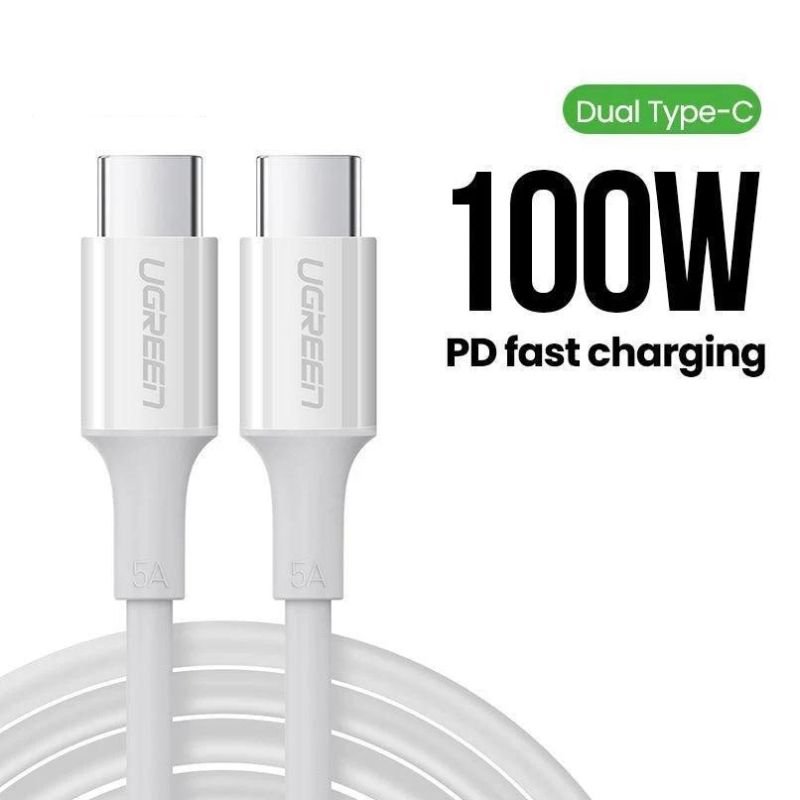
U GREEN 2.0 USB-C to USB-C 100W PD Fast Data cable – 2mtr
SKU: U GREEN 2.0 USB-C to USB-C 100W PD Fast Data cable - 2mtr
غير متوفر في المخزون
The UGREEN 2.0 USB-C to USB-C 100W PD Fast Data cable is a high-quality cable designed for fast charging and data transfer. With a length of 2 meters, it offers flexibility and convenience for various setups. Its USB-C connectors support Power Delivery (PD) up to 100W, allowing for rapid charging of compatible devices. Additionally, it facilitates high-speed data transmission, making it suitable for transferring files between devices such as smartphones, tablets, laptops, and more. Built with durable materials, this cable ensures reliability and longevity for everyday use.
غير متوفر في المخزون
1. **Check Compatibility**: Ensure that both devices you want to connect with the cable have USB-C ports and support Power Delivery (PD) for fast charging if applicable. This cable is typically compatible with a wide range of devices, including smartphones, tablets, laptops, and more.
2. **Plug in the Cable**: Insert one end of the USB-C cable into the USB-C port on one device and the other end into the USB-C port on the second device. Ensure a secure connection on both ends to facilitate charging and data transfer.
3. **Power Delivery (PD) Charging**: If you’re using the cable for charging purposes and your devices support Power Delivery, the charging process will begin automatically. The cable supports up to 100W power delivery, allowing for rapid charging of compatible devices.
4. **Data Transfer**: If you’re using the cable for data transfer, ensure that both devices recognize each other. Depending on the devices and operating systems, you may need to authorize data transfer or select the appropriate settings.
5. **Monitor Progress**: During charging or data transfer, monitor the progress on both devices to ensure everything is functioning as expected. You may see indicators on the devices or on-screen notifications indicating charging status or data transfer progress.
6. **Safe Removal**: After charging or data transfer is complete, safely remove the cable from both devices. This helps prevent damage to the ports and ensures the longevity of the cable.

لا توجد مراجعات حتى الآن.