
 أقل سعر
 الخدمة والإصلاح


 أحدث
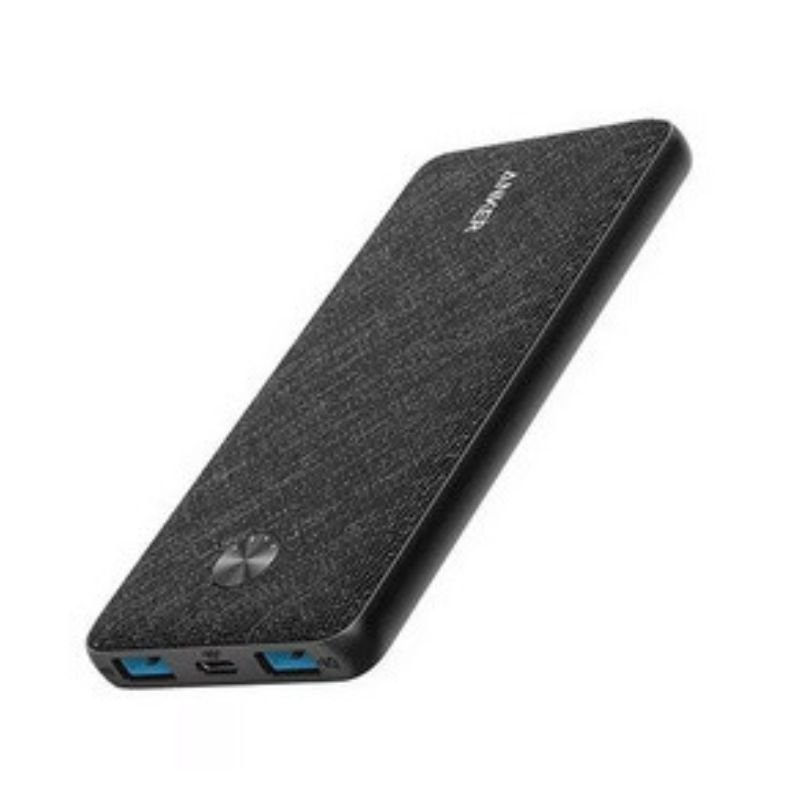
ANKER A1248H11 PowerCore III Sense 10000Mah Power Bank
SKU: ANKER A1248H11 PowerCore III Sense 10000Mah Power Bank
غير متوفر في المخزون
The ANKER A1248H11 PowerCore III Sense 10000mAh Power Bank is a compact and powerful portable charging solution. With a capacity of 10,000mAh, it provides enough power to recharge your smartphone multiple times. Equipped with high-speed charging technology, it delivers fast and efficient charging for your devices. The sleek design and pocket-friendly size make it perfect for travel or everyday use. Additionally, it features multiple charging modes and advanced safety features to ensure reliable performance and protection for your devices.
غير متوفر في المخزون
1. **Charging the Power Bank**:
– Use the provided USB-C cable to connect the power bank’s USB-C input port to a power source such as a wall adapter or a computer USB port.
– The LED indicators on the power bank will illuminate to indicate the charging status. When all LED indicators are solid, the power bank is fully charged.
2. **Checking the Power Level**:
– Press the power button on the power bank to check the remaining power level.
– The LED indicators will light up to indicate the remaining charge. Each LED represents a certain percentage of the power capacity.
3. **Charging Devices**:
– Connect your device(s) to the power bank using their respective charging cables.
– Ensure that the power bank is powered on by pressing the power button if necessary.
– The power bank automatically detects your device and begins charging.
4. **PowerIQ 3.0 Technology**:
– Take advantage of PowerIQ 3.0 technology for fast and efficient charging. It intelligently identifies your device and delivers the fastest possible charge up to 18W, ensuring speedy charging times.
5. **Trickle-Charging Mode**:
– For low-power devices such as Bluetooth headphones or fitness trackers, activate the trickle-charging mode by pressing the power button twice.
– This mode ensures safe and efficient charging for small devices that may not require a high current.

لا توجد مراجعات حتى الآن.