
 أقل سعر
 الخدمة والإصلاح


 أحدث
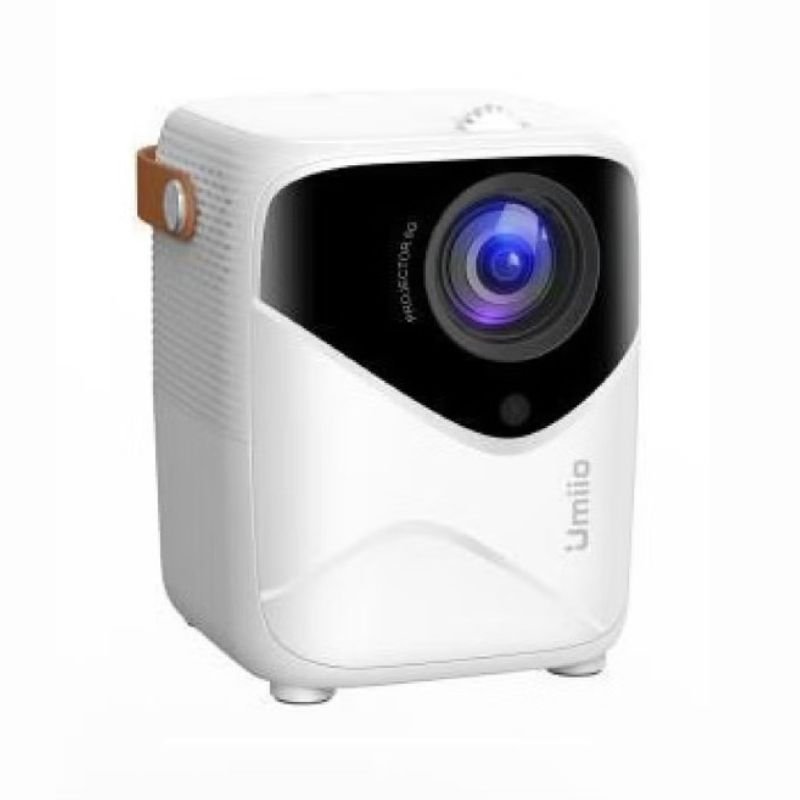
Umiio Q1 HD Portable Video PROJECTOR
SKU: 0405000019-1
غير متوفر في المخزون
The Umiio Q1 HD Portable Video Projector offers high-definition projection in a compact and portable design. With versatile connectivity options and easy setup, it’s perfect for home entertainment, presentations, and gaming on the go.
غير متوفر في المخزون
1. **Unboxing**: Carefully unpack the Umiio Q1 HD Portable Video Projector and ensure all components are present, including the projector unit, power adapter, remote control, HDMI cable, and any other accessories.
2. **Placement**: Choose a suitable location for the projector, ensuring it is positioned on a flat, stable surface and within range of a power outlet. Consider factors such as screen size, distance from the screen or wall, and ambient lighting conditions.
3. **Connect Power**: Plug the power adapter into the projector and then into a power outlet. Ensure the projector is powered off before connecting the power adapter.
4. **Connect Video Source**: Depending on your video source, connect it to the projector using one of the available connection options such as HDMI, VGA, USB, or AV. Use the appropriate cable for your device.
5. **Power On**: Turn on the projector using the power button on the unit or the remote control. Wait for the projector to boot up and display the startup screen.
6. **Adjust Focus and Keystone**: Use the focus ring on the projector lens to adjust the focus until the projected image is clear and sharp. Additionally, adjust the keystone correction if needed to correct any distortion in the image caused by the projection angle.
7. **Select Input Source**: Use the input/source button on the projector or the remote control to select the correct input source for your connected device (e.g., HDMI, VGA, USB).
8. **Adjust Display Settings**: Navigate the projector’s menu using the menu button on the unit or the remote control. Adjust display settings such as brightness, contrast, color temperature, and aspect ratio to your preferences.
9. **Mount or Adjust Screen**: If using a projector screen, mount it securely on a flat surface or wall. Alternatively, project onto a flat white wall or screen for temporary setups. Adjust the screen position and angle as needed for optimal viewing.
10. **Play Content**: Play your desired content on the connected device (e.g., laptop, DVD player, gaming console). The content should be displayed on the projector screen or wall.
11. **Volume Adjustment**: If the projector has built-in speakers, adjust the volume using the volume controls on the projector or the remote control. Alternatively, connect external speakers for enhanced audio quality.
12. **Power Off**: When you’re finished using the projector, turn it off using the power button on the unit or the remote control. Unplug the power adapter from the projector and the power outlet.
By following these steps, you can effectively set up and use the Umiio Q1 HD Portable Video Projector to enjoy high-quality video projection for movies, presentations, gaming, and more.
Based on 0 reviews
Be the first to review “Umiio Q1 HD Portable Video PROJECTOR”
منتجات ذات صلة
-
-
الكترونيات
YH 25 PS4 Multifunctional Heat Dissipation Charging Bracket
*Base bottom with protective cushion design, effective anti-skid, make the host more stable.
*The charging design of the two-handles ensures that the handles have enough power at all times.
*Let the host be placed vertically to reduce the waste of space.
*The charging port of the handle designed, and the handle can be lifted and lowered at any time when charging.
*Dual fans are cooled to prevent the host from overheating during the game.SKU: YH 25 PS4 Multifunctional Heat Dissipation Charging Bracket


لا توجد مراجعات حتى الآن.