
 أقل سعر
 الخدمة والإصلاح

 أحدث
أحدث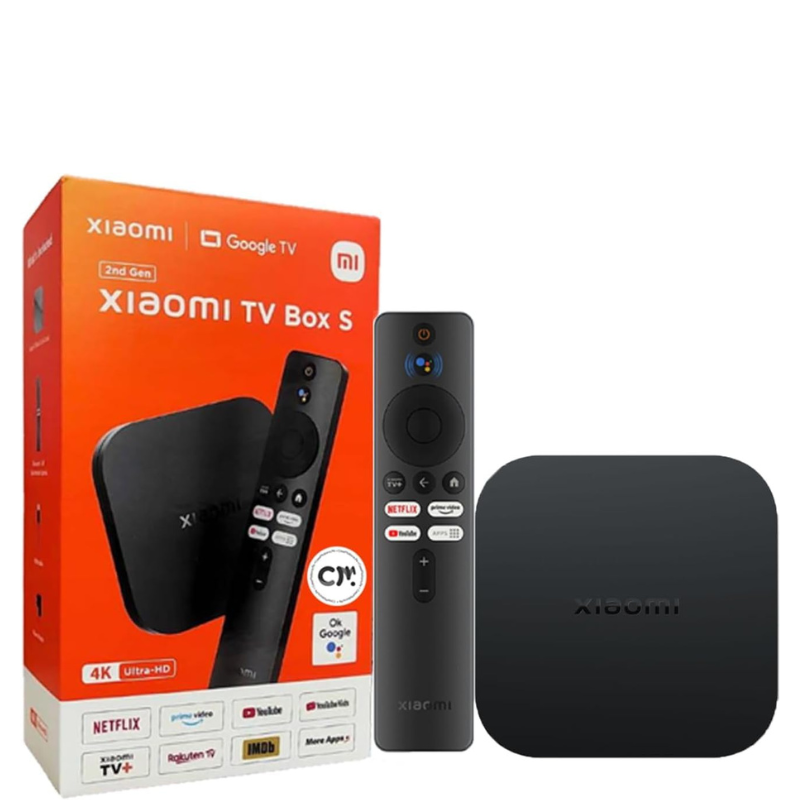
XIAOMI Mi Android 4K ULTRA HD Tv S BOX ( 2nd Gen )
SKU: 20330000040
غير متوفر في المخزون
The Xiaomi Mi Android 4K Ultra HD TV Box (2nd Gen) is a powerful streaming device designed to enhance your TV viewing experience. It supports 4K Ultra HD resolution for crisp and clear picture quality, and runs on Android TV, offering access to a wide range of apps and services via Google Play Store. With its sleek design and user-friendly interface, it seamlessly integrates into your home entertainment setup, providing smooth streaming and intuitive navigation through content.
غير متوفر في المخزون
1. **Setup**: Connect the Xiaomi Mi TV Box to your TV via HDMI and plug in the power adapter. Follow the on-screen instructions to connect to your Wi-Fi network.
2. **Navigation**: Use the included remote control to navigate through the Android TV interface. Access apps, games, and streaming services directly from the home screen.
3. **Streaming**: Enjoy 4K Ultra HD streaming with support for popular services like Netflix, Amazon Prime Video, and YouTube. Experience stunning clarity and vibrant colors on your TV.
4. **Google Assistant**: Utilize the built-in Google Assistant by pressing the microphone button on the remote. Control your smart home devices, ask questions, and find content using voice commands.
5. **Updates and Settings**: Keep your Xiaomi Mi TV Box up-to-date by checking for software updates in the settings menu. Adjust display preferences, manage connected devices, and customize your viewing experience effortlessly.

لا توجد مراجعات حتى الآن.